How to convert a PDF to Markdown: quick answer
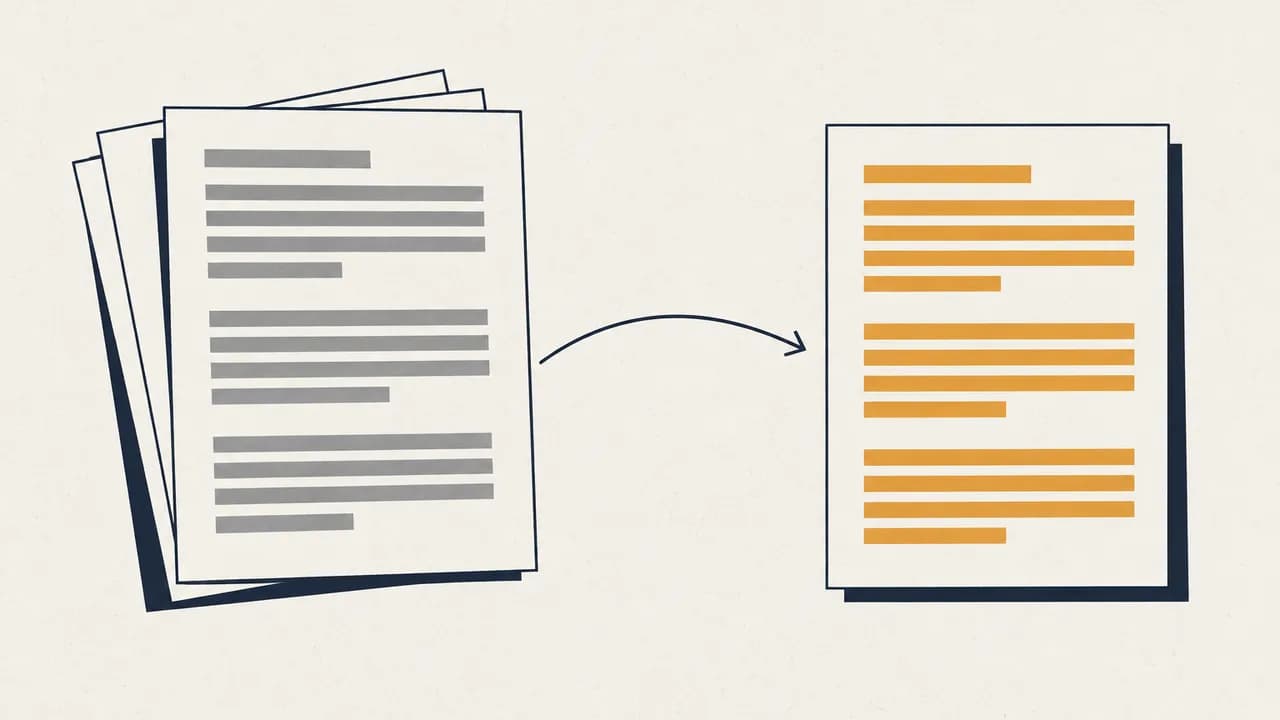
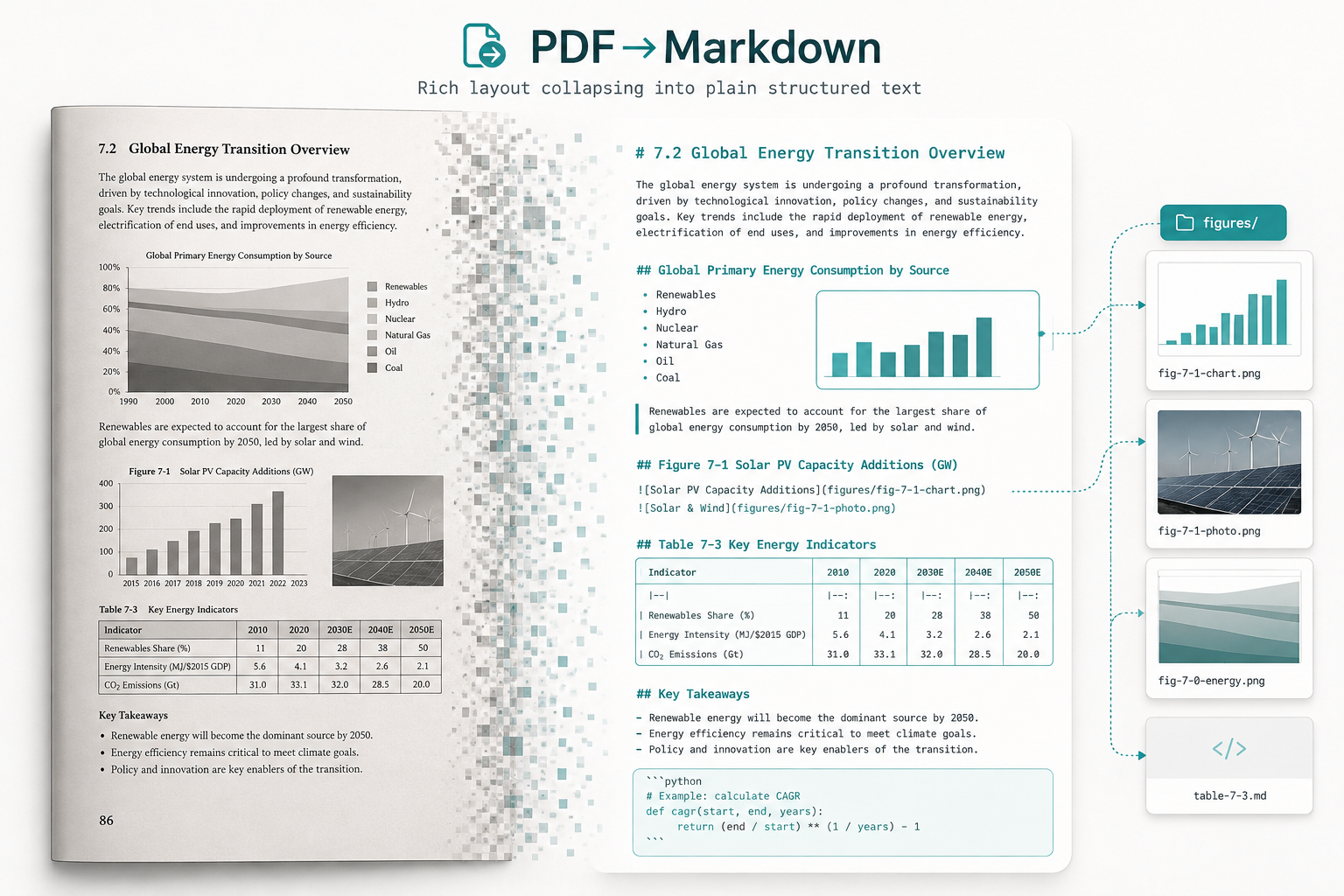
To convert a PDF to Markdown, upload the PDF to a converter that does layout analysis rather than plain text extraction, pick the language of the document so OCR reads it correctly, and download the result as a .zip containing one .md file plus an images/ folder. Headings, lists, tables, code blocks and LaTeX formulas come across as Markdown syntax; page furniture like headers, footers and column breaks is discarded.
The part most people get wrong is the expectation. A PDF stores where ink sits on a page. Markdown stores what the document means. Conversion is not a format swap — it is a reconstruction, and some things genuinely cannot survive it.
Why "copy the text out of the PDF" does not work
Copying text out of a PDF and pasting it into a .md file fails for a reason that has nothing to do with the tool you use: PDFs have no concept of a heading, a paragraph, or a table.
A PDF page is a list of drawing instructions — put this glyph at this coordinate, draw a line from here to there. What you read as "a section title" is just text that happens to be larger and bolder. What you read as a table is a set of text runs that happen to line up, sometimes with lines drawn near them and sometimes not.
So a converter has to infer structure from geometry. That inference is where the quality differences between tools live, and it is why the same tool can nail a clean report and mangle a journal article.
The four inference problems, in order of difficulty
- Reading order. On a two-column academic paper, naive extraction reads across both columns and interleaves two unrelated sentences. Correct output requires detecting the column split and reading each column top-to-bottom.
- Heading hierarchy. The converter must decide that 16pt bold is
##while 13pt bold is###, using relative sizes within this document, since there is no absolute scale. - Tables. A table with ruled borders is comparatively easy. A borderless table — alignment only — has to be recovered from whitespace geometry alone.
- Formulas. Mathematical notation is drawn as positioned glyphs, sometimes in a maths font, sometimes as an image. Recovering
\frac{a}{b}from that is a different class of problem than reading a sentence.
What actually survives the conversion
This is the table worth bookmarking. It reflects what Markdown can represent, which is the real ceiling — no converter can exceed it.
| Element in the PDF | In the Markdown output | Reliability |
|---|---|---|
| Section titles | ## / ### heading levels | High on documents with consistent typography |
| Body paragraphs | Plain paragraphs | High |
| Bulleted / numbered lists | - and 1. lists | High |
| Code blocks | Fenced blocks | High when the code is set in a monospace font |
| Tables with ruled borders | GFM pipe tables | Good |
| Borderless tables | GFM pipe tables | Fair — column boundaries are inferred from alignment |
| LaTeX formulas | $...$ / $$...$$ | Good for inline and display maths, weaker for multi-line aligned environments |
| Figures and charts | Extracted to images/, referenced by relative path | High for extraction, but the image is a bitmap — the chart is no longer data |
| Footnotes | Usually flattened into body text near the reference | Fair |
| Page headers / footers / page numbers | Discarded | Intentional — they are page furniture, not content |
| Multi-column layout | Flattened to one column | Intentional — Markdown has no columns |
| Fonts, colours, exact spacing | Lost | Markdown has no styling layer at all |
Three of those rows are labelled "discarded" or "lost" on purpose. If your document's meaning depends on colour coding or on a two-column layout, Markdown is the wrong target and no tool will fix that. Convert to .docx instead — see PDF to Word.
Why the output is a .zip and not a .md
A Markdown file cannot contain an image. It can only point at one. So any honest PDF-to-Markdown conversion of a document with figures has to produce at least two things: the text file, and the images it references.
Belin Doc's PDF to Markdown converter returns a .zip holding the .md file alongside an images/ folder, with relative links already written into the Markdown. Unzip it into your vault or repository and the images resolve — no manual re-linking.
This matters more than it sounds. The most common complaint about PDF-to-Markdown workflows is not bad text; it is 40 broken image links after moving files around. Keeping the folder structure intact on export is the fix.
Scanned PDFs: pick the language before you convert
If your PDF is a scan — a photographed book page, an old contract, anything without a text layer — there is no text to extract. It has to be read by OCR first, and OCR accuracy depends heavily on being told which script and language to expect.
Belin Doc exposes that choice directly rather than guessing. The converter offers 16 language and script options, including Simplified Chinese (with a separate higher-accuracy server model), Traditional Chinese, English, Japanese, Korean, Thai, Greek, Tamil, Telugu, Kannada, plus script-level options for Latin, Arabic, Cyrillic, East Slavic and Devanagari.
Two practical notes:
- Set it before you upload, not after. The language is submitted with the conversion task; changing it means converting again.
- Pick the script option for mixed European languages. For a document mixing French, German and Spanish, the
latinscript option generally beats picking any single language.
If you are not sure whether your PDF is a scan, our guide to double-layer PDFs explains how to tell in a few seconds, and why some "text" PDFs are secretly images.
When Markdown is the wrong target format
Being honest about this is more useful than a feature list.
Use Markdown when you are moving content into a note system (Obsidian, Notion, Logseq), feeding documents into a RAG or embedding pipeline, putting documentation into version control, or you want plain text you will still be able to open in 20 years.
Do not use Markdown when the layout is the content. Contracts where clause numbering and indentation carry legal weight, forms, invoices, engineering drawings, slide decks, and anything you need to hand back to someone in a formatted, printable state — these all lose something essential in the flattening.
Also reconsider when your document is mostly tables with merged cells. Markdown tables cannot merge cells at all. A converter will either split the merge or repeat the value, and neither is what the original meant.
For long-form prose you intend to read rather than edit, EPUB is usually the better target — it reflows to your screen while keeping chapter structure. That trade-off is covered in PDF to EPUB.
Converting a PDF to Markdown, step by step
Step 1: Choose the document language
Open the PDF to Markdown tool and set the language selector to match your document before uploading. For digital PDFs with a real text layer this has little effect; for scans it is the single biggest factor in output quality.
Step 2: Upload the PDF and start the conversion
Drop in a file up to 100 MB and 100 pages. You need to be signed in to a Belin Doc account, since the conversion history and download links are tied to your account. Conversion costs 1 translation credit per page, taken from your free monthly quota first — registered accounts get 500 free pages a month, drawn from the same balance as document translation. If a conversion fails, the credits are refunded automatically.
Step 3: Download the zip and unpack it into your vault
Long or scanned documents take longer, because every page is analysed separately. You can close the tab — conversions stay in the history list for 24 hours. Download the .zip, unpack the .md and images/ folder together into your notes vault or repository, and the image links resolve on their own.
Frequently asked questions (FAQ)
Does the Markdown output include the images from the PDF?
Yes. Images are extracted into an images/ folder and referenced from the Markdown with relative paths, which is why the download is a .zip rather than a bare .md file. Keep the folder and the Markdown file together when you move them and the links stay intact.
Will a two-column academic paper come out in the right reading order?
Column detection is handled by layout analysis rather than raw text extraction, so two-column papers are read column by column instead of straight across the page. Dense pages that mix columns with floating figures and side notes are the hardest case — check the section boundaries around figures first when proofreading.
Can mathematical formulas be converted into editable LaTeX?
Inline and display formulas are converted to LaTeX delimited by $ and $$, so they render in Obsidian, Typora and most Markdown editors. Multi-line aligned environments and hand-built matrices are the weakest area and are worth checking manually.
How much does converting a PDF to Markdown cost?
It costs 1 translation credit per page, taken from your free monthly quota first — 500 free pages a month once you register, shared with document translation. Scanned pages go through OCR without consuming your separate OCR allowance, and failed conversions are refunded automatically. You do need to sign in before uploading.
What are the file size and page limits?
Up to 100 MB and up to 100 pages per file. Documents over 100 pages are rejected at submission rather than failing halfway, so split them first with the PDF splitter and convert each part.
How long are converted files kept?
Conversion records and download links stay available for 24 hours, then the files are deleted from the server. Download anything you want to keep within that window.