
Free DWG / DXF AI Translator · Layer-Preserving
AI accurately translates the layer annotations and technical terms in your DWG / DXF while keeping layers, scale, and line work intact—your file remains editable in AutoCAD or any CAD software afterwards.
Drag & drop files here
Supports DWG, DXF and ZIP
Remaining pages: 0 ,Available OCR pages: 0
Remaining translation speed-ups: 0
Maximum 2 parallel tasks
 Priority Queue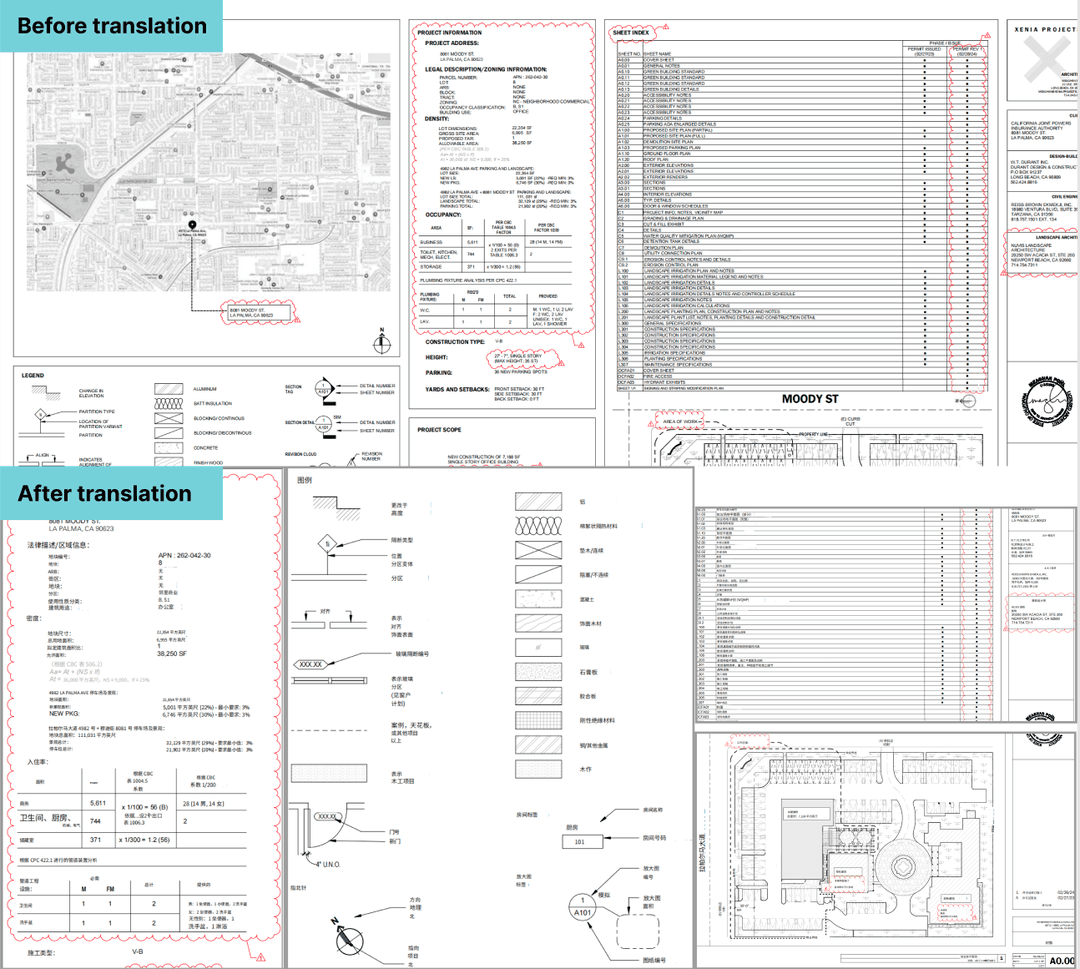
Architectural Plan (DWG)
EN → ZH
Layer structure and dimension callouts on the architectural plan are perfectly preserved, terminology reads natively, and we no longer have to redraw anything.
Three Steps to Multi-Language CAD Drawings
Upload DWG / DXF
Upload a single DWG / DXF, or pack multiple files into a ZIP for a single batch submission.
- Native DWG / DXF
- ZIP batch upload
- Parallel processing
AI Translation
Reads text entities and layer annotations directly from the DWG and translates them with industry term libraries.
- Direct text-entity read
- Industry term library
- Layer structure kept
Download Translated File
Download the translated DWG / DXF and continue editing in AutoCAD or other CAD software directly.
- Layers preserved
- Editable in AutoCAD
- High-fidelity vector
Why Engineers Choose Belin Doc
100% Layer Structure Preserved
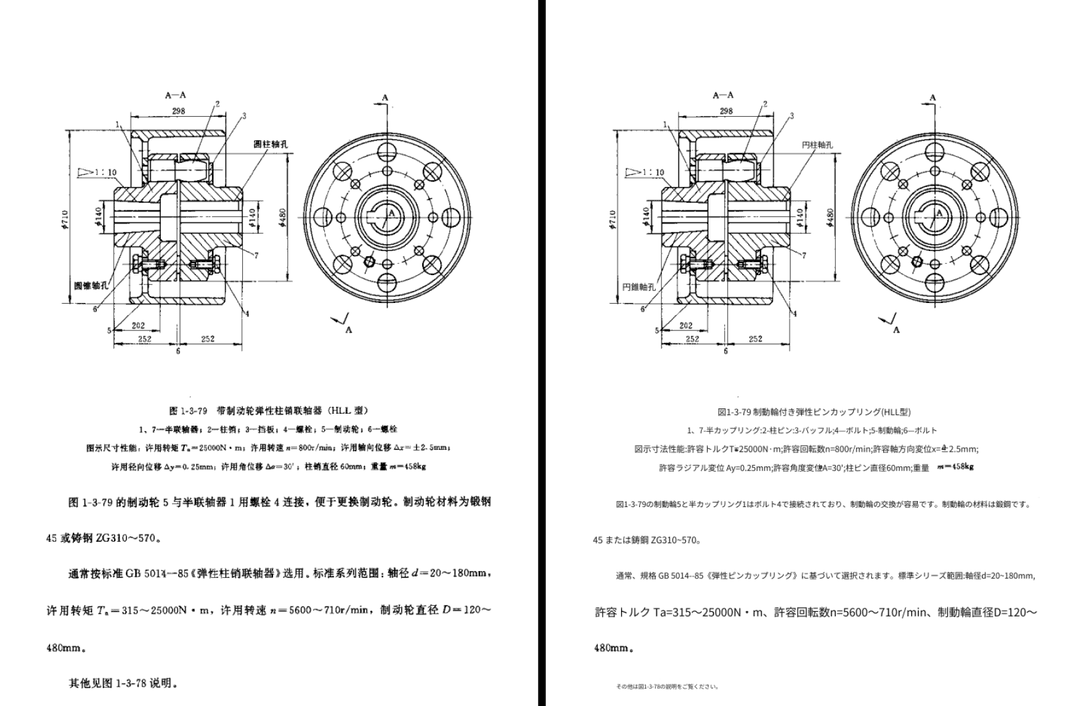
Layer-level text replacement only—the underlying drawing geometry, scale, line work, and title blocks stay exactly where they are.
Direct Text-Entity Read, No OCR
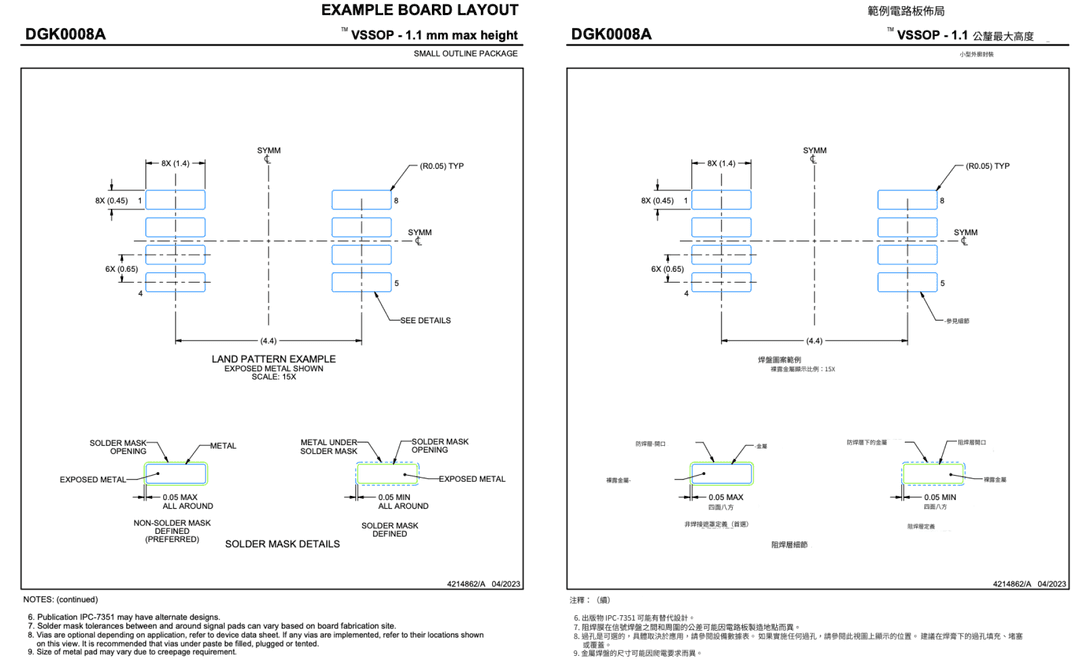
We read the native text entities inside DWG / DXF directly, skipping OCR entirely—no recognition errors, dimensions and tolerance notes are translated faithfully.
Domain-Specific Models
Trained on architectural, mechanical, chemical, and electronic vocabularies, so 'Nut' becomes the bolt-fastener nut, not the food nut.
Project-Scale Batching
Upload an entire DWG / DXF project as a ZIP—files are translated in parallel, drastically shortening delivery cycles.
Enterprise-Grade Security
End-to-end encrypted transfer, manual delete on demand, automatic cleanup after task completion. No drawings retained for training.
Engineering Drawing Translation FAQ
What file formats are supported?
Only AutoCAD-native DWG and DXF—single files or a ZIP batch. If you have a PDF, image, or scan, please use our document translator—it's purpose-built for PDFs / scans and preserves the layout.
Which AutoCAD versions are supported?
DWG / DXF exported from AutoCAD 2007 and later, including files exported from popular third-party CAD tools (BricsCAD, ZWCAD, etc.).
Can I keep editing the translated DWG in AutoCAD?
Yes. Translated text is written back as text entities at the original layer, with all geometry, title blocks, and scale preserved—open it in AutoCAD and keep editing.
Will scale or line work be affected?
No. We use layer-level text replacement: the underlying drawing (lines, shapes, layers, title blocks) stays static—only the detected text is rewritten.
How accurate is the technical terminology?
We fine-tune frontier LLMs on engineering domains, so BOM rows, technical specs, and legend abbreviations are translated in context.
Are title blocks and layer names translated too?
Title blocks and drawing borders are translated. Layer names (Layer Name) are kept as-is by default to preserve CAD-internal references.
Can I batch translate an entire project?
Yes—pack DWG / DXF files in a ZIP and upload once; everything is processed in parallel, ideal for projects with dozens of drawings.
Are my drawings confidential?
Fully. End-to-end encryption, manual deletion at any time, and automatic cleanup after task completion. Files are never retained for model training.
Speed Up Cross-Language Engineering Collaboration
Try Belin Doc—stop letting CAD translation slow your project.