
Free online PDF document translator
Translate PDF files online for free, no registration or installation required. Supports scanned PDFs and oversized PDF files, automatically maintaining the original layout structure.
Drag & drop your document here to translate it for free
Supports PDF, DOCX, XLSX, PPTX, TXT and EPUB — layout preserved, up to 500 free pages a month once you register.
How do you translate a PDF for free?
To translate a PDF for free, open Belindoc's free PDF translator, upload your file, pick the source and target languages, and download the translated PDF in minutes. It runs in any browser with no sign-up and no install, keeps the original layout intact, and uses AI for natural, accurate wording.
Belindoc handles scanned PDFs automatically with built-in OCR and supports very large files over 100MB. It translates across 100+ languages including English, Chinese, Japanese, Korean, French, German, and more, with over 300,000 documents translated to date at a 98.7% success rate. Files are encrypted in transit and deleted automatically after 24 hours, and the tool works on Windows, Mac, iOS, and Android.
How to Translate a PDF Online for Free
- 1
Upload your PDF
Select a PDF in the upload area; scanned PDFs and large files are supported, no sign-up required.
- 2
Choose source and target languages
Pick from 100+ languages, and optionally choose your preferred AI model.
- 3
Click “Start Translate”
The AI translates while keeping the original layout, tables and images intact.
- 4
Download the result
Preview online when finished and download the PDF with formatting preserved.
pdfDocument Translation Effect Demonstration
How good is Belin Doc's document translation
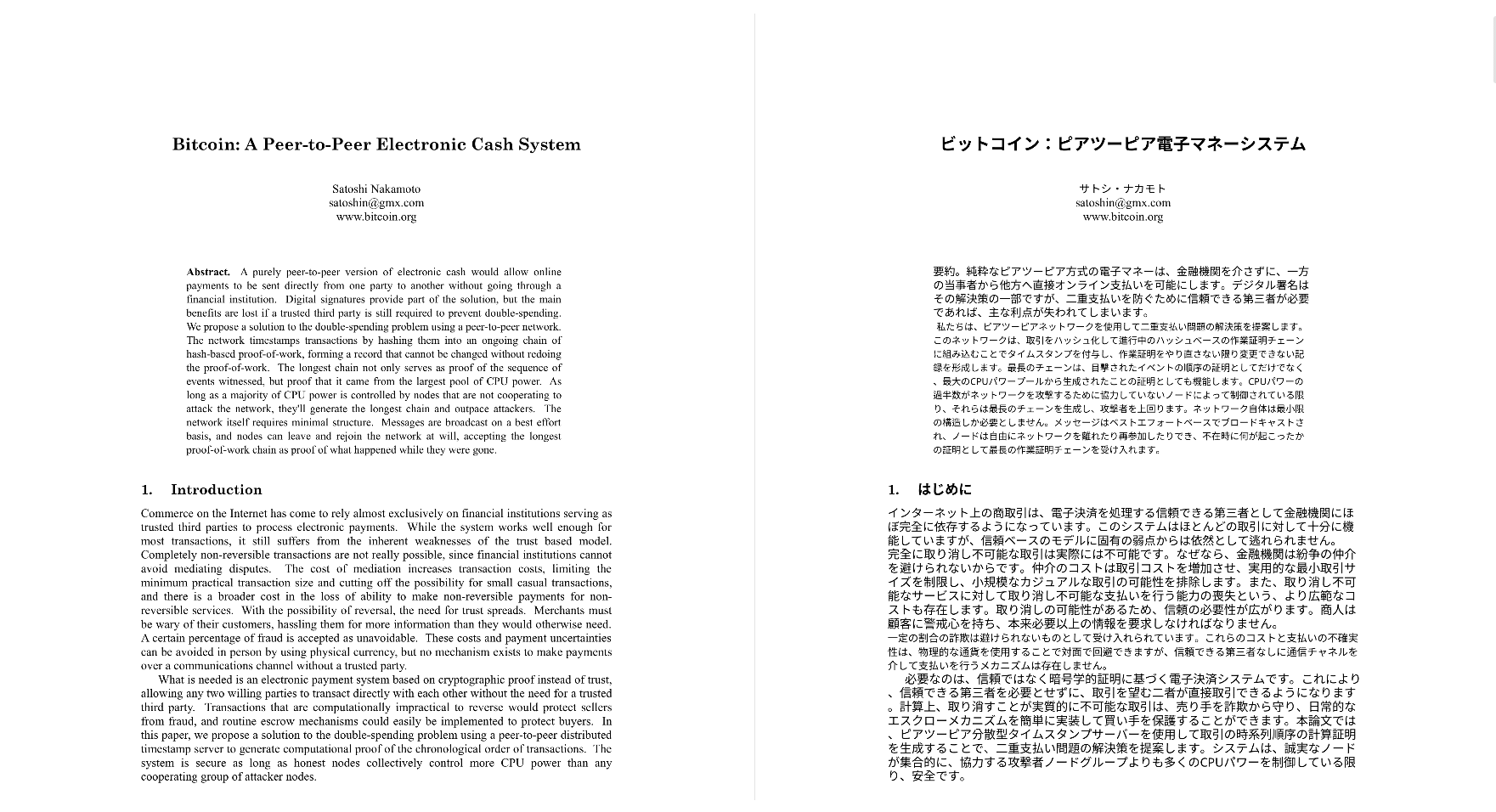
Scanned PDF Support
Support scanned PDF
AI OCR Recognition
Automatically recognize image tables
Context-Aware
Close to the original context
Fast & Accurate
Fast and accurate translation
Why Choose Free PDF Translator (No Signup Required)
Why do you need an online PDF translation tool? PDF documents cannot be edited directly, copy-paste translation is inefficient, and scanned PDFs are almost impossible to process. Many PDF translation tools require registration, login or even payment, and the threshold for use is high. Our free PDF translator allows you to translate PDF documents online without registration, and do it all directly in your browser.
No need to register an account
No need to register an account
No software download required
No software download required
Supports computer and mobile browsers
Supports computer and mobile browsers
Easy to operate and suitable for all users
Easy to operate and suitable for all users
Translate scanned PDF files with OCR built in
A scan has no text layer, so the page has to be read before anything can be translated. That step runs automatically here: upload the scan and translate scanned PDF to English or any supported language, with tables and columns recognised instead of flattened into one stream.
- Translate scanned PDF files without running OCR as a separate step
- Photographed pages and image-only PDFs are handled the same way
- Tables, columns and paragraph structure are recognised, not flattened
- Mixed files work too, where only some of the pages are scans
A scan is no longer the reason a PDF cannot be translated.
Supports translation of PDF files larger than 100MB
Many online tools tend to fail or limit the number of pages when faced with large PDFs. Our free PDF translator supports the translation of very large PDF files (above 100MB) and stably handles multi-page documents.
Supports very large PDF files
Can translate hundreds of pages of documents
No watermark after translation is completed
Suitable for books, reports, technical information
Security and usage scenarios
Safe and reliable, suitable for a variety of PDF translation scenarios
File security
- Encrypted file upload
- Automatically deleted 24 hours after translation is completed
- No saving or manual viewing of file contents
Common usage scenarios
- Academic Paper PDF Translation
- Scanned contract and invoice translation
- Translation of business reports and product manuals
- Technical documentation and e-book translation
FAQ
Frequently Asked Questions About Free PDF Translator