
Free online Word document translator
Drag & drop your document here to translate it for free
Supports PDF, DOCX, XLSX, PPTX, TXT and EPUB — layout preserved, up to 500 free pages a month once you register.
Word document translation: the key facts
- Word format accepted
- .docx
- Older .doc files
- Not accepted — save as .docx in Word first
- Target languages
- 100+
- Free allowance
- 20 pages without an account, 500 a month with a free account
- Account required
- No — a free account raises the allowance
- Watermark on the result
- None
- Per-file upload size
- 100 MB on the free plan
Word document translation example
Check out our Word document translation examples that show how our tool perfectly preserves the original layout, tables and images.
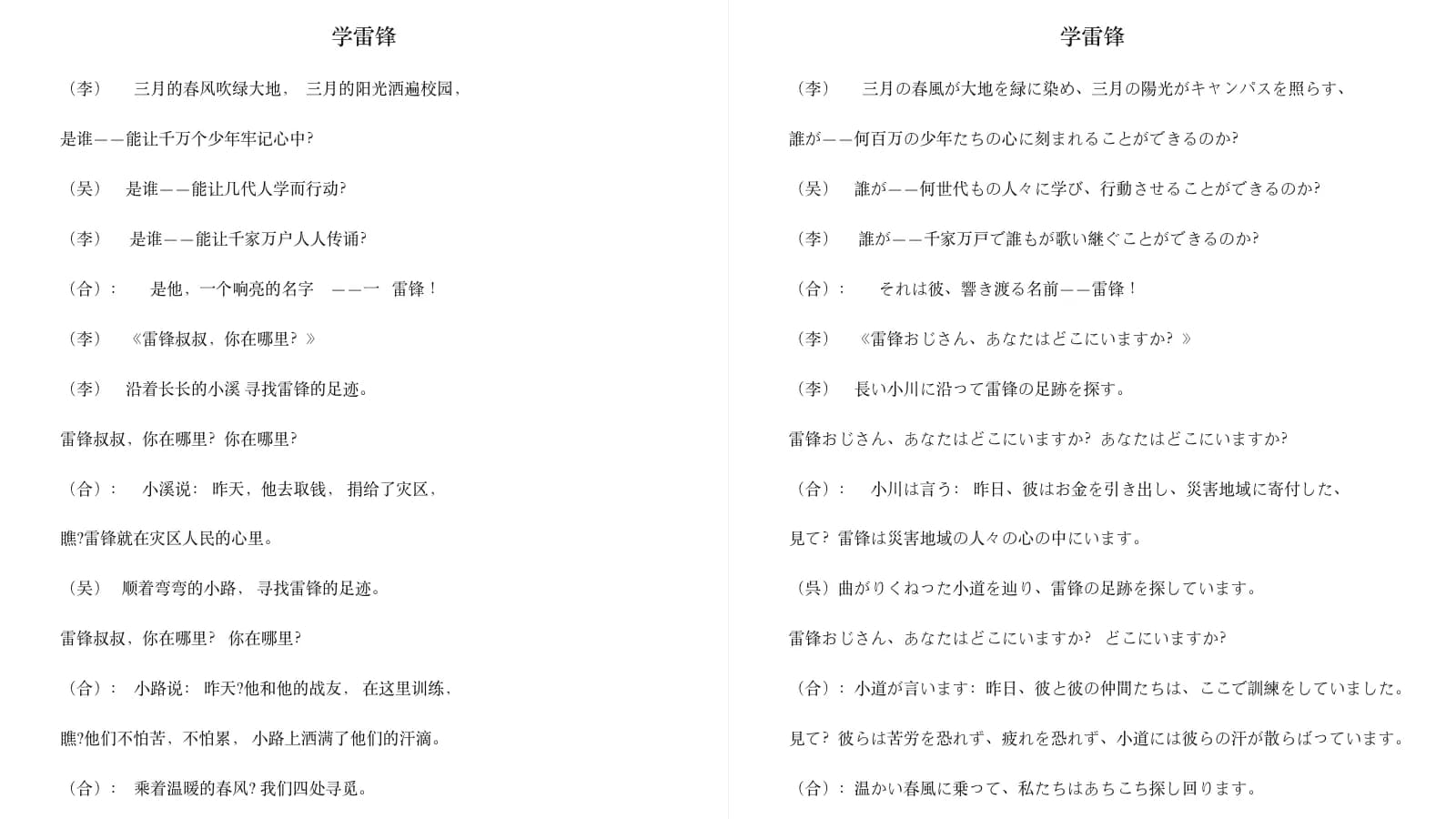
Same layout, different language
The two files above differ only in language — paragraph order, fonts, headers and footers all match.
Real output, not a mock-up
Both files come straight from the translator and are downloadable, so you can compare them yourself.
What you can upload on this page
The uploader on this page also takes PDF, PowerPoint, Excel, EPUB and TXT files — the hub compares what each format keeps. The only hard limit is on the Word side:
| File type | Accepted | What to do |
|---|---|---|
| Word (.docx) | Yes | Upload it directly |
| Word 97–2003 (.doc) | No | Open it in Word, save as .docx, then upload |
What happens to each part of your document
You get a .docx back — not a PDF, not an image. Here is what carries over.
| Element | What happens |
|---|---|
| Body text | Translated, keeping the paragraph order and line breaks of the original |
| Tables | Kept, with the cell structure intact |
| Images | Kept where they were |
| Fonts and character styles | Kept |
| Page size and margins | Kept |
| Headers and footers | Kept, page-number fields included |
The Chinese-to-Japanese sample above keeps its page size, margins, fonts, headers and footers, and comes back with the same number of paragraphs as the original. Both files are downloadable, so you can check that yourself.
Complete document translation in three steps
Upload documents
Drag and drop your file or select it from your device. Word files need to be in .docx format — open an older .doc file in Word and save it as .docx first.
Select language
Choose source and target languages from 100+ languages
Download translation
Download immediately after translation is completed, keeping the format as it is
Features of our Word document translator
100+ languages
Translate a Word document between any of the supported languages, in either direction.
Formatting preserved
Layout, fonts and styles survive the round trip, so the file still looks professional when it lands.
Context-aware translation
The model reads the surrounding document, which keeps terminology consistent from one page to the next.
Tunable output
Set the document type, the tone and any specific instructions to steer how the translation reads.
Refinement pass
Run the result through a second pass to smooth out phrasing that still reads like a translation.
Fast turnaround
No queue to wait in — the translated file comes back in one go.