
EPUB Translation · Smooth like reading the original
Integrates cutting‑edge LLMs to not only translate text but capture literary nuance. Automatically preserves underlying CSS styles and metadata, supports generating bilingual “original vs translation” editions, enabling barrier‑free global reading.
Drag & drop your document here to translate it for free
Supports PDF, DOCX, XLSX, PPTX, TXT and EPUB — layout preserved, up to 500 free pages a month once you register.
How do you translate an EPUB ebook online for free?
To translate an EPUB ebook online for free, open Belin Doc's AI EPUB translator, upload your .epub file, choose the target language, and download the translated ebook in minutes. Powered by large language models, it captures literary nuance and automatically preserves the CSS styles, illustrations, and chapter structure, so the result reads as smoothly as the original.
Belin Doc can generate a bilingual "original vs. translation" EPUB for immersive reading, supports batch translation of entire series, and keeps formatting intact with no garbled text. It runs in any browser with no registration and no watermarks, and your files stay private.
EpubDocument Translation Effect Demonstration
How good is Belin Doc's document translation
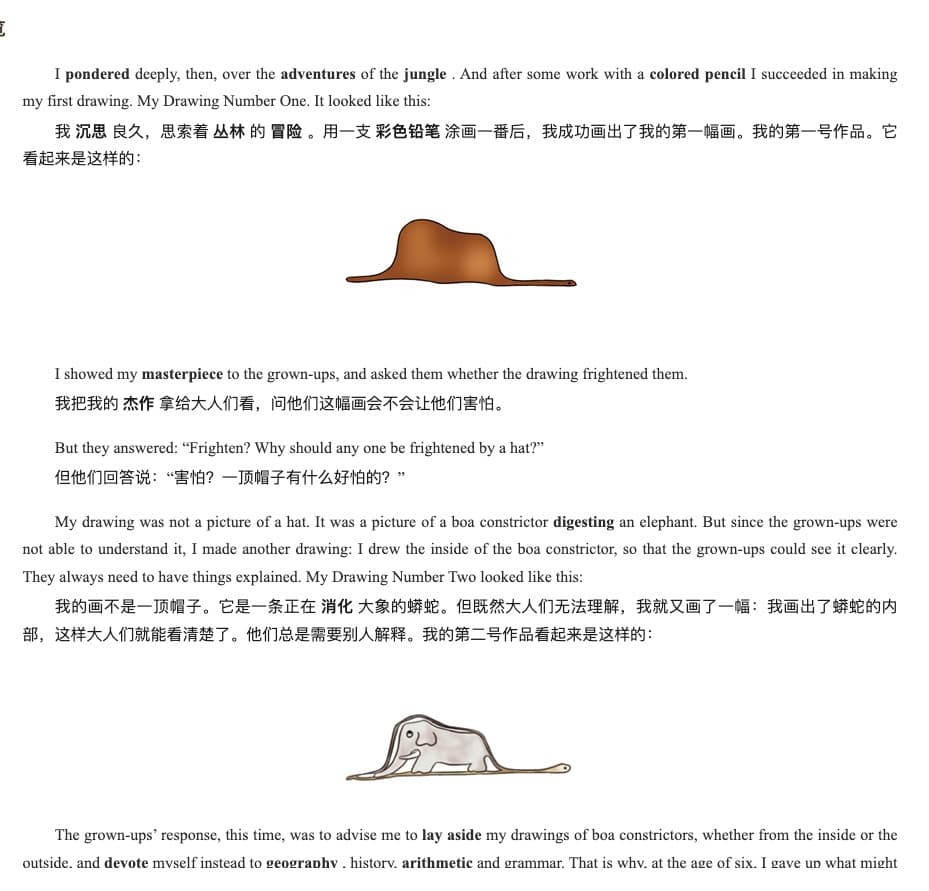
Start your cross‑language reading journey in three steps
Upload EPUB Document
Upload your eBook file (supports EPUB, MOBI, AZW3 without DRM protection).
Customize Translation Preferences
Choose the target language and enable “bilingual view” to compare the original while reading.
Download the Translated Edition
AI processes quickly, preserves table of contents and illustrations, and generates a perfectly typeset translated eBook.
Not just translation — a reconstruction of the reading experience
Perfect Preservation of Layout & CSS
Deeply parses EPUB code to ensure fonts, sizes, spacing, and illustration positions remain identical to the original after translation.
LLM‑Powered Literary Translation
No stiff machine translation. With long‑context understanding, LLMs keep novels and professional texts coherent and natural in tone.
Exclusive Bilingual Side‑by‑Side Mode
Generate EPUB files with paragraph‑by‑paragraph original vs translation, ideal for language learners and lovers of originals.
Parallel Processing for Large Libraries
Batch upload multiple eBooks; high‑performance backends translate in parallel so even long works finish in short time.
Synchronized TOC & Metadata
Automatically translates and syncs table of contents, author info, covers, and other metadata for perfect display on readers.
Privacy & Reading Security
Your personal collection is encrypted end‑to‑end; manual deletion anytime after completion protects your copyright privacy.
Everything About EPUB Translation
Will the translated EPUB have garbled formatting?
No. Belin Doc uses structured parsing to translate text content only, without breaking the original HTML/CSS. It displays perfectly on Kindle, Kobo, and more.
Do you support DRM‑protected books?
To respect copyrights, we only support translating EPUB files without DRM. For protected books, please remove DRM with appropriate tools before uploading.
How do I generate a bilingual English‑Chinese eBook?
Enable “bilingual view” in translation options. The system inserts the translation below each original paragraph to create a bilingual eBook ideal for study and proofreading.
How is LLM translation better than regular Google Translate?
LLMs keep context. For long novels, they maintain consistency for names and places and adapt style to the book’s tone (e.g., sci‑fi, historical, or romantic).
Do you support batch translation of entire series?
Yes. Upload multiple eBooks at once; the system uses high‑performance clusters for parallel translation, greatly reducing wait time.
Which export formats are supported for translated books?
Default export is standard EPUB. You can import directly into Kindle or mobile readers, or export to PDF/MOBI for reading.
Read the world — starting with this book
Join Belin Doc now to experience authentic AI translation and remove language barriers to knowledge.