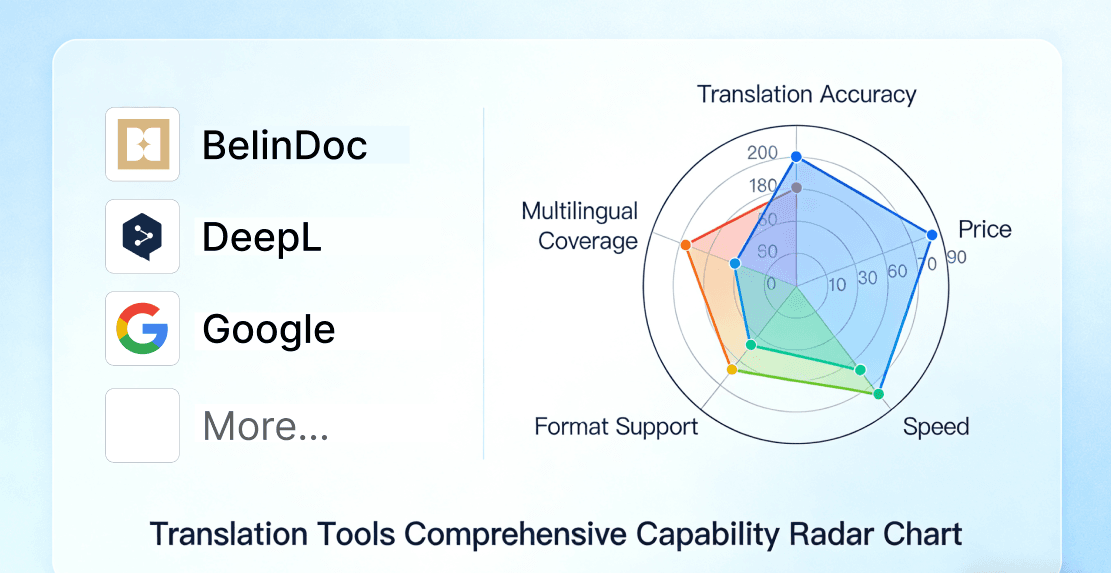
Why People Compare DeepL and BelinDoc
If you've ever needed to translate a PDF, chances are DeepL was the first name that came to mind. It built its reputation on producing some of the most natural-sounding machine translations available, and its document translation feature lets you upload a PDF and get a translated version back without leaving the browser.
That reputation was earned over years of fine-tuning a dedicated neural translation engine for its best-supported language pairs. These days, translation powered by modern large language models — which is what BelinDoc uses — can match or edge past that quality, particularly for nuanced text, technical jargon, and language pairs outside DeepL's most-tuned set. But "translating a PDF" is a different problem from "translating text": layout, tables, fonts, and OCR accuracy all come into play, and that's where the two products really start to diverge.
This comparison focuses specifically on PDF document translation — pricing, format preservation, language coverage, and reading experience — so you can decide which tool actually fits your workflow.
DeepL vs BelinDoc: Quick Comparison Table
| DeepL Pro | BelinDoc | |
|---|---|---|
| Free tier | 3 documents/month, 5 MB max per file | 500 free pages/month |
| Entry paid plan | Starter, ~$10.49/mo — 5 files/month, 10 MB max per file | See BelinDoc pricing |
| PDF layout preservation | Partial — DeepL's own documentation says results are best on simple, single-column PDFs, and notes it can struggle with multi-column layouts, floating images, and custom headers/footers | Built specifically around preserving PDF layout: multi-column text, tables, and charts |
| Bilingual side-by-side reading | Not available — you only get the translated file back | Built-in bilingual (original + translation) view |
| Batch translation | Not on the entry plan; higher tiers raise the per-month file count, but you still upload one file at a time | Multi-file batch upload |
| Interface languages | English-first interface | 9 interface languages (EN, ZH, ZH-Hant, JA, KO, FR, RU, DE, AR) |
| OCR for scanned PDFs | Yes — DeepL notes this can carry a higher error rate than translating a native (non-scanned) PDF | Yes |
Pricing and quotas checked against deepl.com/pro in July 2026 — DeepL updates its plans from time to time, so confirm current numbers before you buy.
Example: DeepL's own document translation output
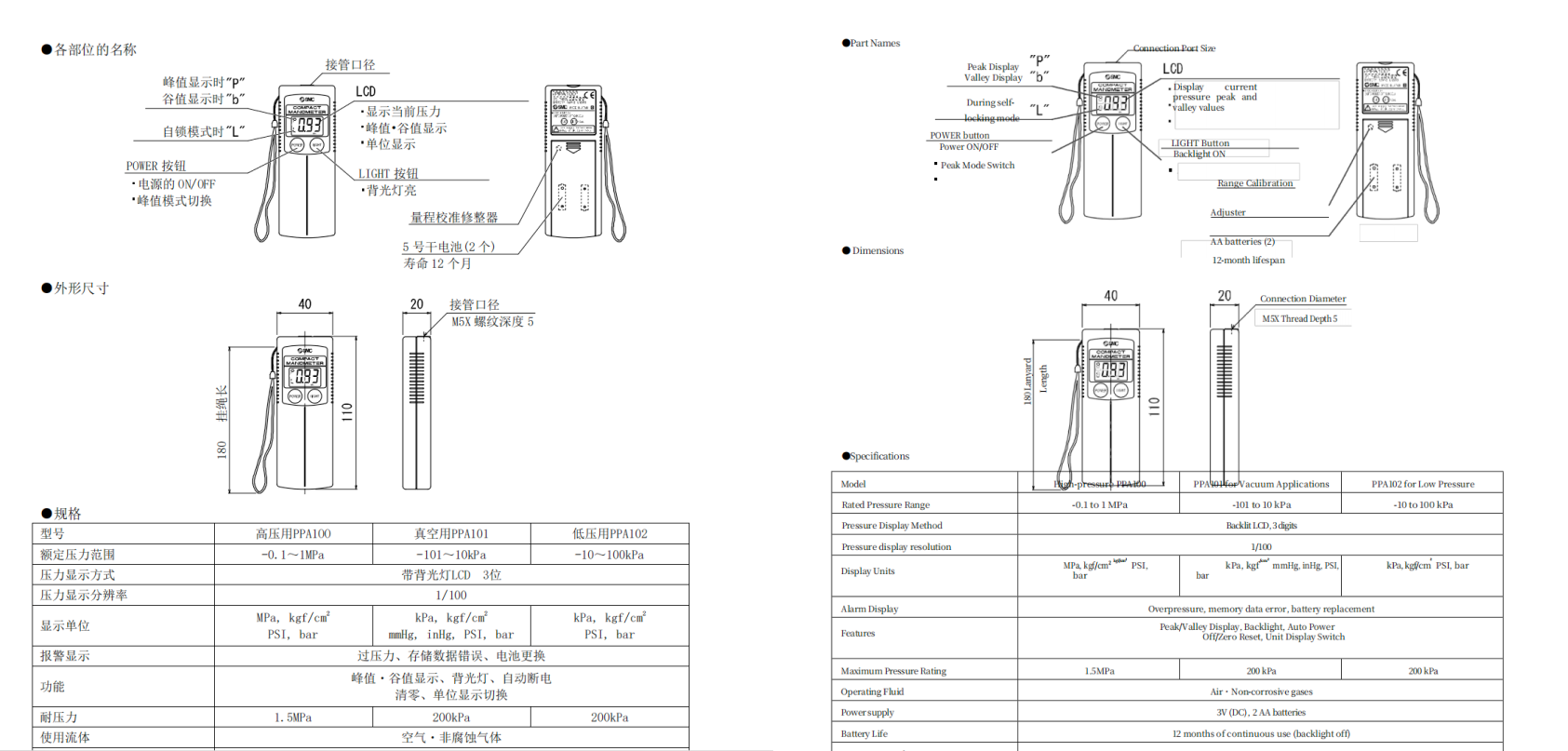
A product manual translated with DeepL's document translation feature.
Where DeepL Genuinely Wins
To keep this fair: DeepL is a strong choice if —
- You're translating very common, well-established language pairs (English ↔ German/French/Spanish, for example) and just want a dedicated, no-frills translation tool. DeepL's neural engine has been fine-tuned specifically for these pairs over many years and is a dependable default if you don't need anything beyond straight translation.
- Your PDF is simple — mostly running text, one column, no heavy custom fonts or floating graphics. DeepL's own documentation recommends this kind of document for the best results.
- You already live inside the DeepL ecosystem — e.g., you use its browser extension or desktop app daily for everyday text translation and just need to translate an occasional PDF.
If that's your use case, DeepL's simplicity is genuinely hard to beat.
Where BelinDoc Fits Better
BelinDoc was built specifically around the problems that show up once you leave "simple text PDF" territory:
- Translation quality from modern LLMs, not a dedicated MT engine. BelinDoc translates using state-of-the-art large language models (we benchmark them ourselves) rather than a purpose-built machine-translation engine like DeepL's. In practice that tends to produce more contextually accurate, nuanced phrasing — particularly for technical jargon, longer sentences, and language pairs outside DeepL's most-tuned set.
- Layout-heavy documents. Multi-column academic papers, product spec sheets, contracts with tables — these are exactly the documents DeepL's own support pages flag as more failure-prone. BelinDoc's translation pipeline is built around preserving that structure.
- Reading the translation next to the original. If you need to double-check translated terminology against the source line-by-line — common for contracts, research papers, and technical manuals — BelinDoc's bilingual side-by-side view does this without opening two separate files.
- Batch jobs. If you regularly translate more than one file at a time (a folder of invoices, a set of product manuals), BelinDoc's batch upload avoids the one-file-at-a-time model of DeepL's entry plan.
- Wider, more consistent language coverage. If your team works primarily in Japanese, Korean, Arabic, or Traditional Chinese, BelinDoc's LLM-based translation and natively localized 9-language interface handle these languages more completely than a tool built around an English-first UI.
Example: BelinDoc translating a complex engineering table
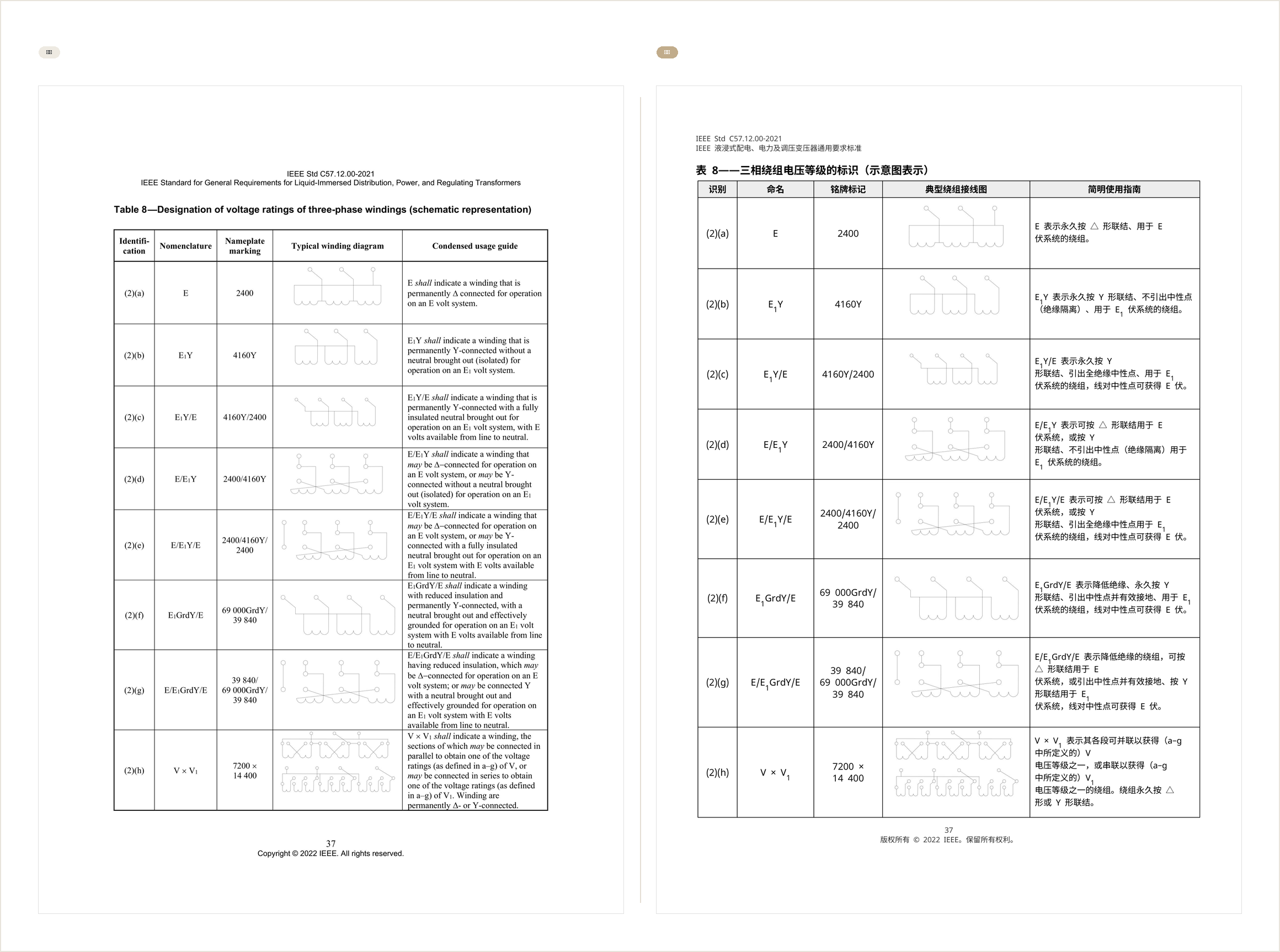
An IEEE standard document (left, original English) translated into Chinese by BelinDoc (right) — the table structure and winding diagrams stay intact.
❓ FAQ
Is DeepL good for translating PDFs?
Yes, for simple, single-column PDFs in languages DeepL supports well. DeepL's own documentation notes it struggles more with multi-column layouts, floating images, and custom headers/footers — for those, a tool built specifically around PDF layout retention will generally hold up better.
Does DeepL have a free plan for PDF translation?
Yes. DeepL's free tier allows a small number of documents per month (3 documents, 5 MB max per file, as checked in July 2026), after which you need a paid plan. BelinDoc offers 500 free pages per month that you can use without a credit card.
Can DeepL translate scanned PDFs?
DeepL uses OCR to handle scanned PDFs, but its own support documentation notes this can come with a higher error rate than translating a native, non-scanned PDF.
Which is cheaper, DeepL or BelinDoc?
It depends on your usage pattern — DeepL's entry-level paid plan is priced around a small monthly file quota, while BelinDoc's plans are built around page volume plus batch and format features. Check the BelinDoc pricing page for current plans before deciding.
Does DeepL support Chinese, Japanese, Korean, and Arabic?
DeepL has expanded its language coverage significantly, so check DeepL's own language list before assuming a specific language is supported — coverage for document/PDF translation specifically can lag behind what's available for plain text translation. BelinDoc's interface and translation both natively support these languages.
Bottom Line
DeepL is a solid, dependable choice for straightforward text in its most-tuned language pairs, especially if your PDFs are simple and single-column. But once you need more nuanced translation quality across a wider range of languages, more complex layouts, tables, or a way to read the original and translation side by side, BelinDoc — built on modern LLMs and purpose-designed around PDF layout retention — is the stronger fit.
👉 Try BelinDoc for free — no credit card required.