With global collaboration becoming more frequent, the demand for document translation has exploded in 2026. Whether it’s cross-border business, multilingual academic writing, or enterprise content management, high-quality document translation tools have become essential.
There are dozens of document translation products on the market, but quality varies dramatically. Whether a tool can preserve formatting, support PDF/PPT, handle scanned files or formulas — all of these determine real-world usability.
Based on the latest 2026 evaluations, this article recommends the 10 most reliable document translation tools, comparing translation quality, formatting accuracy, speed, and cost-effectiveness.
We also provide real test examples using complex PDF documents so you can clearly see how each tool performs.
Best PDF translator in 2026: quick answer
If you just want the short version, here's what our testing found — no single tool wins everything, so pick by what your documents need:
| If you need… | Best pick | Why |
|---|---|---|
| Best PDF formatting + scanned-file OCR | BelinDoc | Highest format-preservation score in our PDF/table/scan tests; keeps layout, charts, and multi-column intact |
| European languages (EN ↔ DE/FR/ES) | DeepL | Most natural phrasing for European language pairs |
| Free, quick, casual use | Google Translate | Free and fast, but no OCR and weaker formatting |
| Locked-down enterprise PDF workflows | Adobe Acrobat | Strongest native PDF + OCR, at a higher price |
The rest of this article shows the full 10-tool ranking, our selection criteria, and real side-by-side test screenshots on complex PDFs (tables, scans, multi-column) so you can judge the formatting for yourself.
⭐ How We Selected the Best Document Translation Tools for 2026
When choosing a document translation tool, these factors matter most:
- Translation quality: consistency, contextual accuracy, multilingual performance
- Format preservation: PDFs, PPTs, tables, charts, and complex layouts
- Batch translation: ability to handle multiple files at once
- Post-editing capabilities: find/replace, revision tools, formatting fixes
- Speed: performance on large files
- Privacy & security: encryption, local processing options
- Pricing: cost per page/word and suitability for heavy users
These factors determine whether a tool is reliable for long-term professional use.
1. BelinDoc (Best for PDF formatting & scanned files)
In our tests, BelinDoc had the strongest format preservation on complex PDFs — tables, charts, and multi-column layouts stayed intact, and its OCR handled scanned files that broke several competitors. It's built specifically to solve formatting errors, PDF chart loss, and low-quality machine translation on professional and technical documents. (Disclosure: BelinDoc is our own product — the screenshots below let you verify the formatting claims yourself.)
BelinDoc: best document types
PDF, Word, PPT, EPUB, Excel, scanned documents, formula-heavy content, research reports
BelinDoc: key translation features
- AI translation + advanced formatting engine
- PDF/PPT format preservation up to 99%
- Online post-editing (find/replace, batch correction)
- Ideal for research, engineering, business reports
- Supports large files & batch translation
BelinDoc: pros
- Best-in-class format preservation
- Latest LLM translation with excellent consistency
- Powerful post-editing tools
- Ideal for researchers, sellers, enterprise users
- Supports custom terminology
BelinDoc: cons
- Free quota resets monthly but is limited
- Advanced features require paid plans
BelinDoc PDF translation test: tables, scans and multiple columns
BelinDoc — PDF with Tables
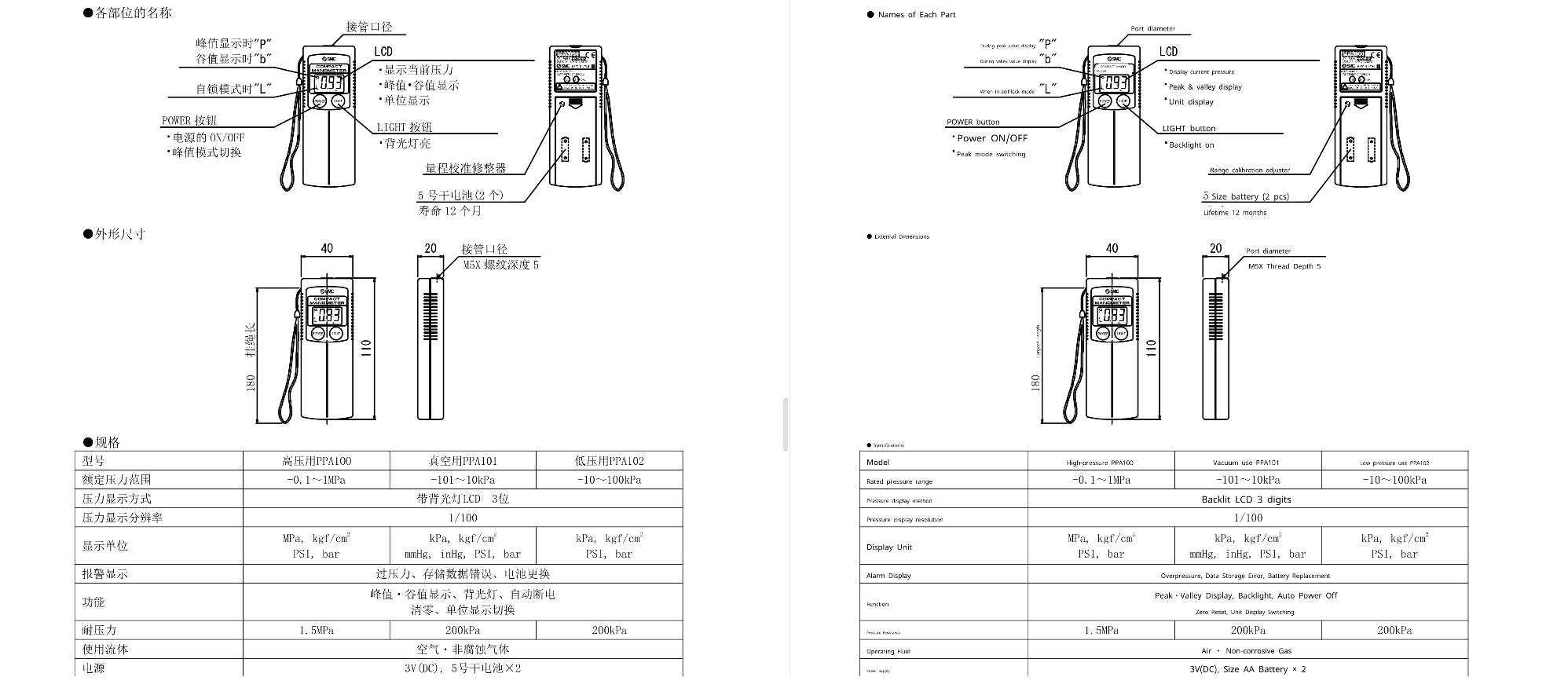
BelinDoc — Scanned PDF
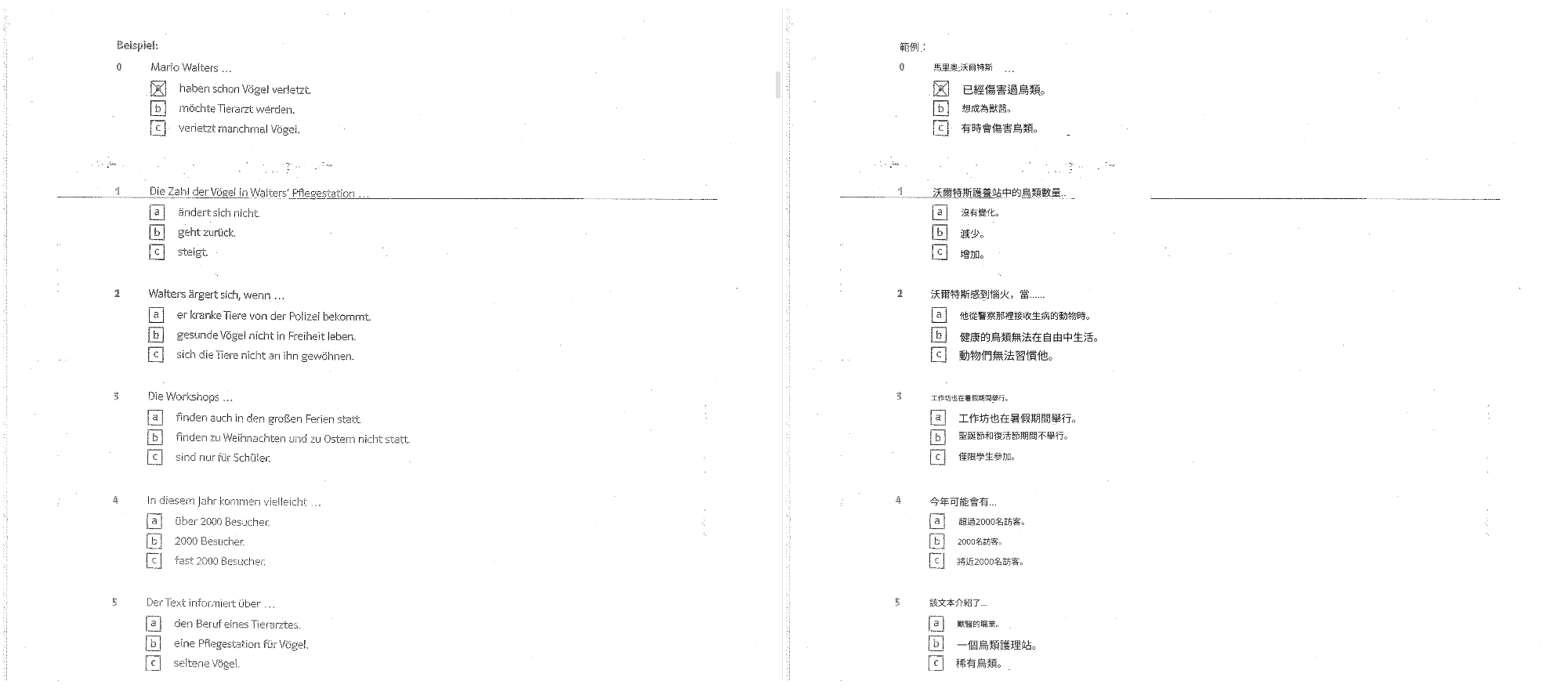
BelinDoc — Multi-column PDF
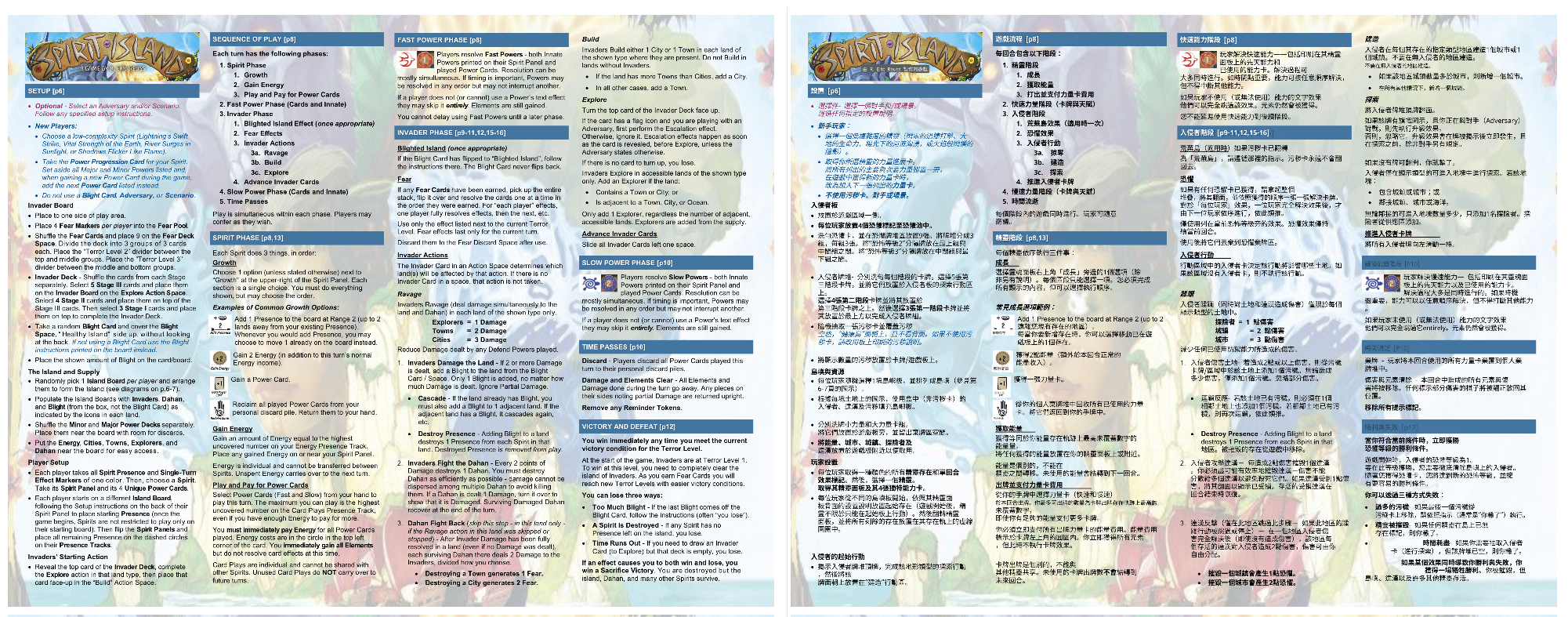
BelinDoc — Rating: 4.9 / 5
BelinDoc — Best For: Users needing top-tier translation + perfect formatting.
2. DeepL Documents
Excels in European languages, especially English ↔ German/French/Spanish.
DeepL Documents: pros
- Natural translation style
- Supports common file formats
DeepL Documents: cons
- Weak support for scanned PDFs
- More expensive than alternatives
DeepL Documents PDF test: tables and scans
DeepL — PDF with Tables
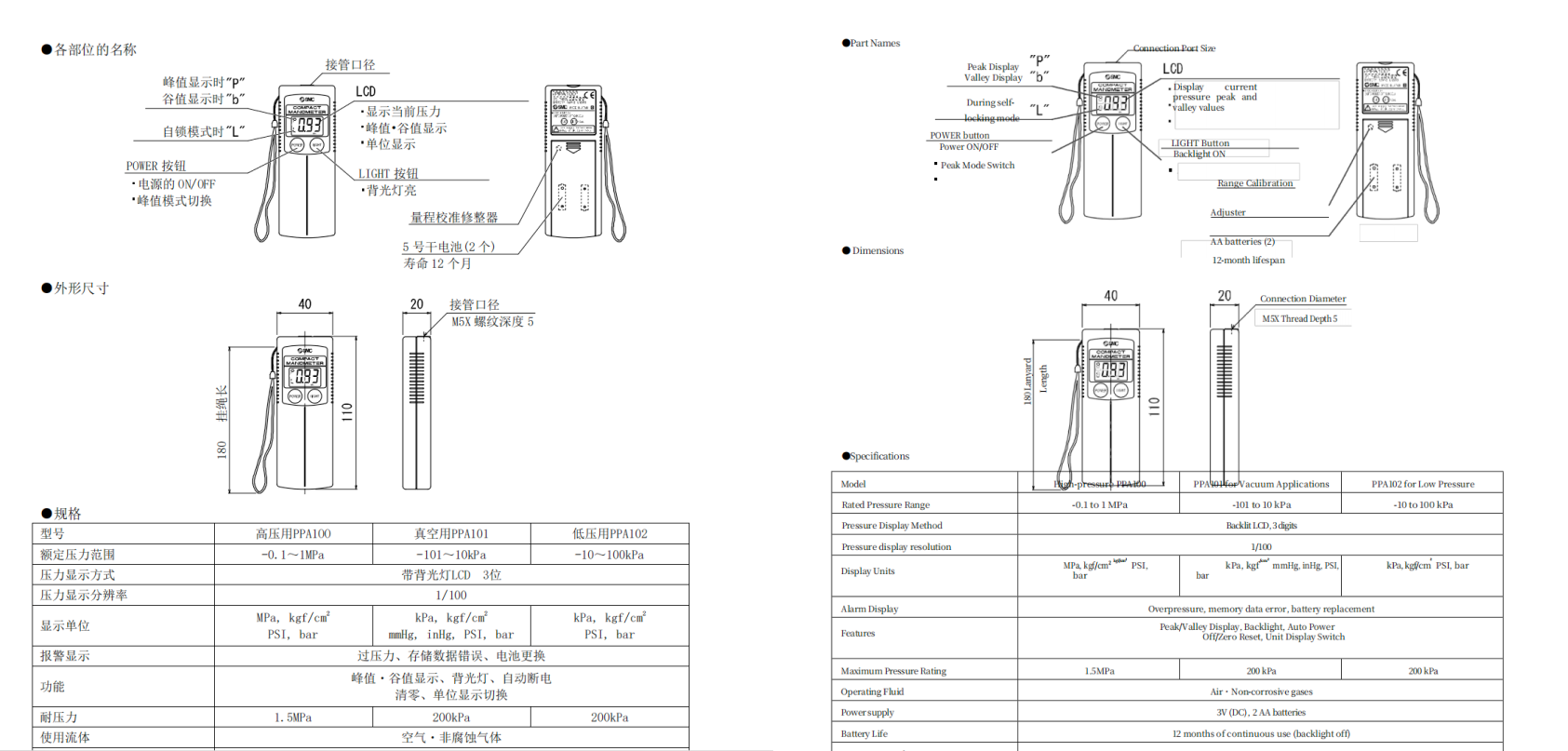
DeepL — Scanned PDF
Rating: 4.5 / 5
3. Google Document Translation
Suitable for casual users, students, and lightweight needs.
Google Document Translation: pros
- Free
- Wide language support
- Fast
Google Document Translation: cons
- Machine translation quality varies
- No OCR; cannot handle scanned PDFs
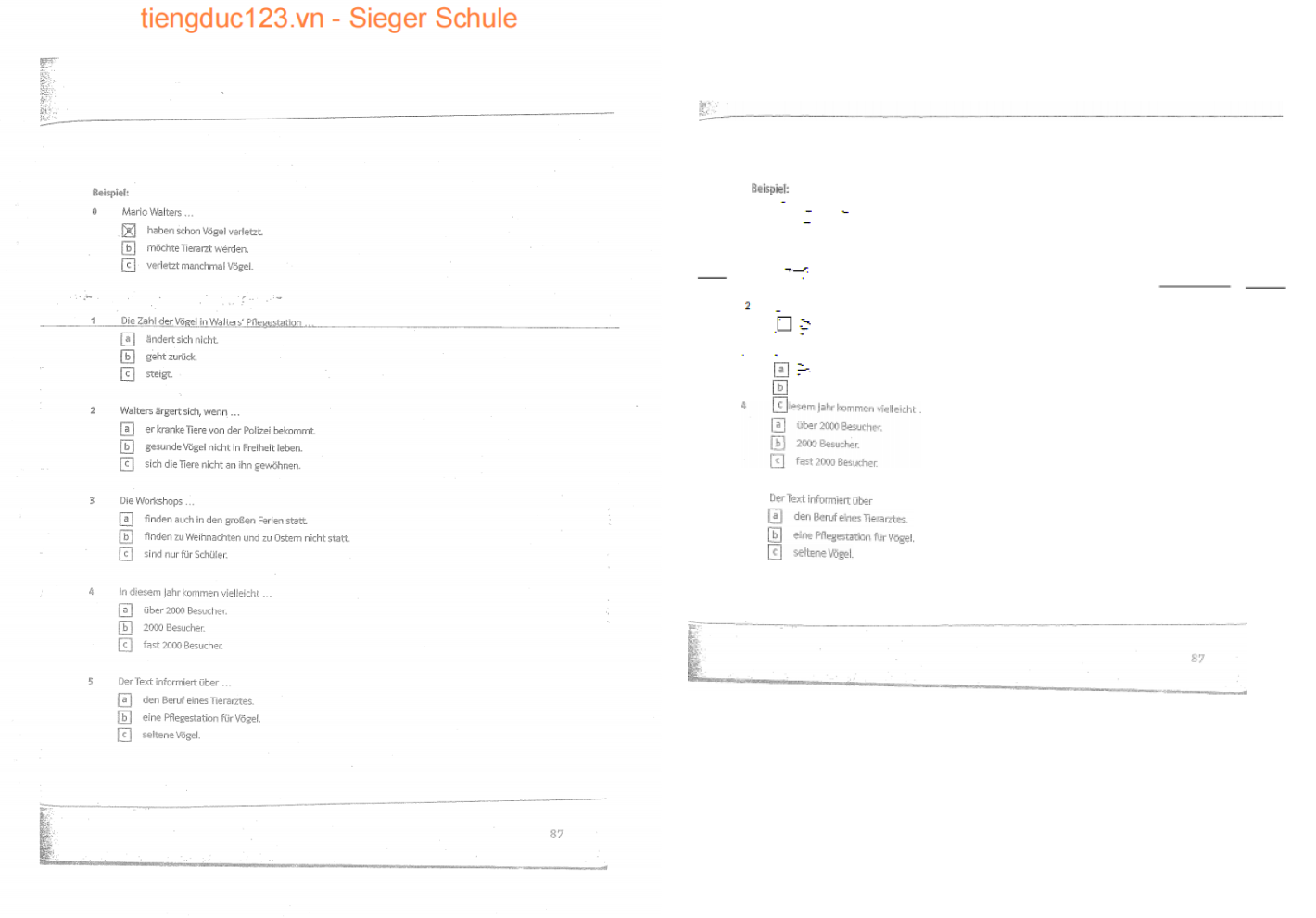
Google Document Translation: PDF test with tables, scans and columns
Google — PDF with Tables
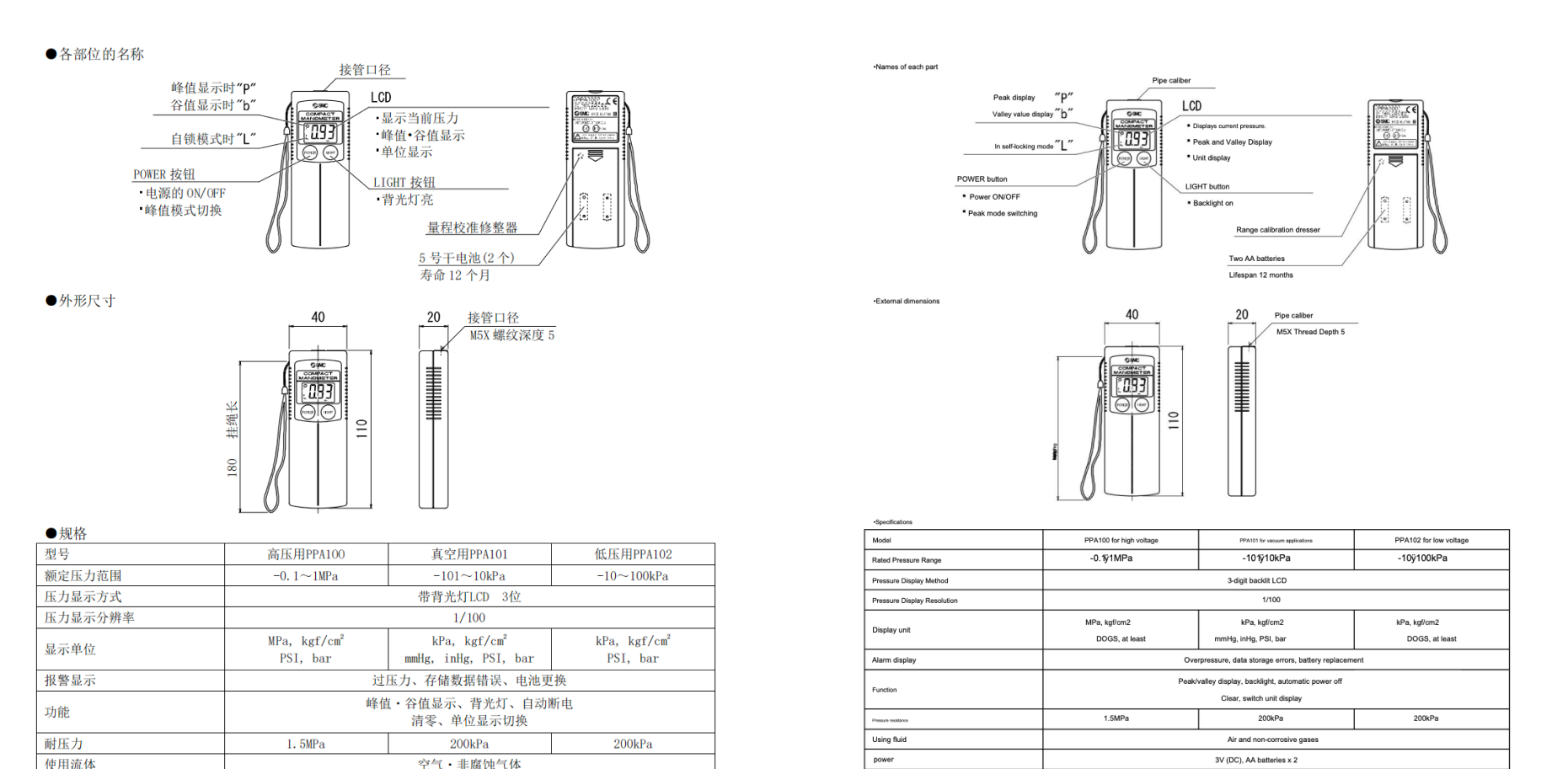
Google — Scanned PDF
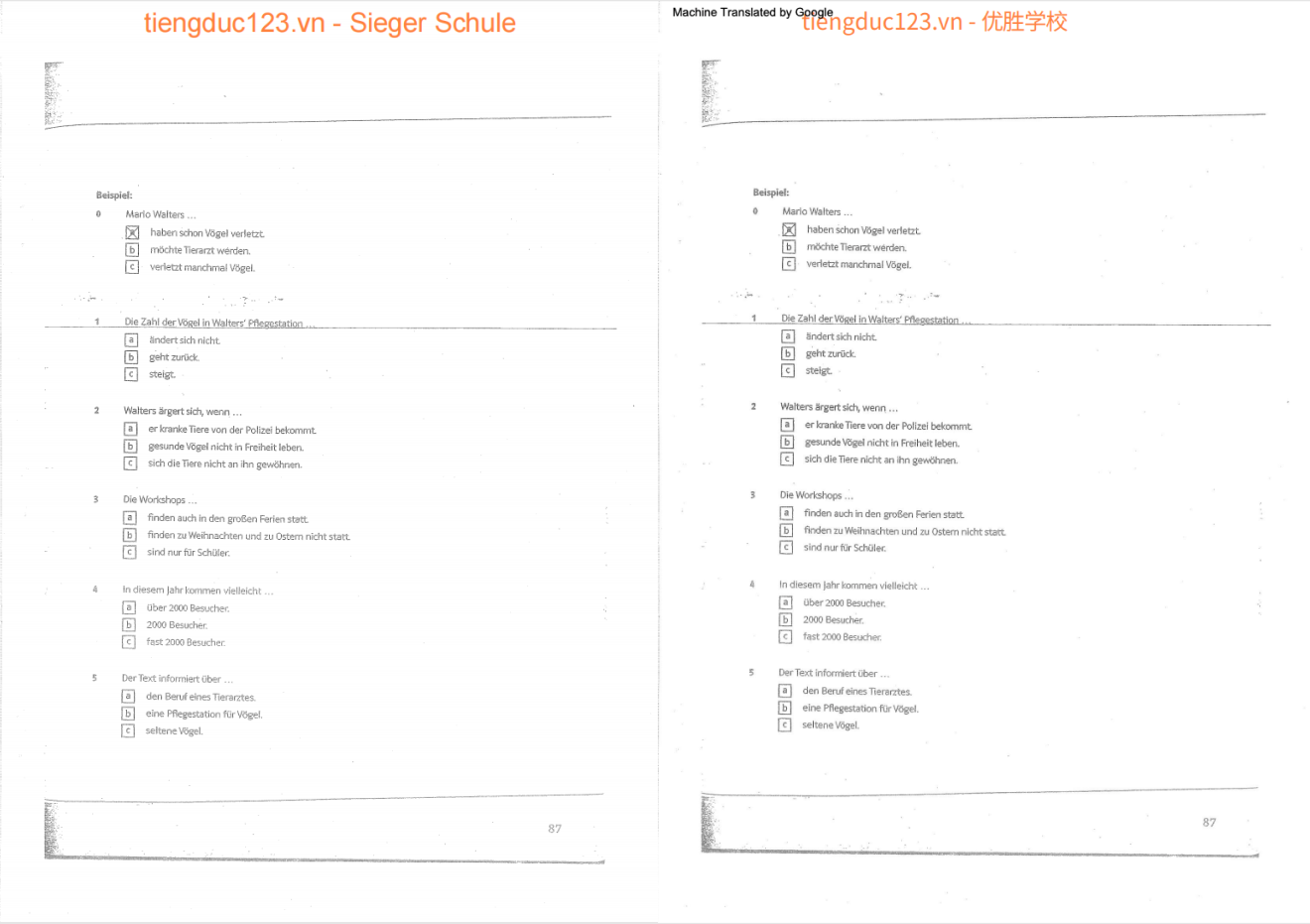
Google — Multi-column PDF
Rating: 4.0 / 5
4. Microsoft Translator (Document Mode)
Microsoft Translator (Document Mode): pros
- Deep integration with Office
- Great compatibility with Word/PPT
Microsoft Translator (Document Mode): cons
- Machine-like tone
- Average formatting support
Rating: 4.0 / 5
5. OpenAI / ChatGPT Document Translation
Great for content and paragraph-level translation.
OpenAI / ChatGPT Document Translation: pros
- Extremely natural phrasing
- Ideal for marketing, creative content
OpenAI / ChatGPT Document Translation: cons
- Cannot reliably process complex layouts
- PDF requires manual text copy/paste
Rating: 4.3 / 5
6. Adobe Acrobat + AI Translation Plugins
Adobe Acrobat + AI Translation Plugins: pros
- Best PDF formatting retention
- Extremely strong OCR
Adobe Acrobat + AI Translation Plugins: cons
- Not ideal for large batches
- Weak support for non-PDF documents
Rating: 4.2 / 5
7. DocTranslator
DocTranslator: pros
- Decent free quota
- Supports common formats
DocTranslator: cons
- Medium translation quality
- Not suitable for professional use
Rating: 3.8 / 5
8. SmartCat
SmartCat: pros
- MT + human translation hybrid
- Great for enterprise workflows
SmartCat: cons
- Expensive
- Higher learning curve
Rating: 4.1 / 5
9. SYSTRAN Translate
SYSTRAN Translate: pros
- Veteran enterprise MT provider
- Strong security
SYSTRAN Translate: cons
- Outdated interface
- Weak formatting support
Rating: 3.9 / 5
10. Yandex Document Translation
Yandex Document Translation: pros
- Excellent for Russian/Eastern European languages
- Generous free quota
Yandex Document Translation: cons
- Average quality for major languages
- Not ideal for business use
Rating: 3.7 / 5
📊 Core Comparison Table
| Tool | Translation Quality | PDF Formatting | Batch Translation | Post-Editing | Speed | Price | Best For |
|---|---|---|---|---|---|---|---|
| BelinDoc | ⭐⭐⭐⭐⭐ | ⭐⭐⭐⭐⭐ | ✔ | ✔ | Fast | Medium | Best quality & formatting |
| DeepL | ⭐⭐⭐⭐ | ⭐⭐⭐ | ✖ | Average | Medium | Medium-High | European languages |
| ⭐⭐⭐ | ⭐⭐ | ✖ | None | Fast | Low | Students, casual use | |
| Adobe | ⭐⭐⭐ | ⭐⭐⭐⭐⭐ | ✖ | None | Medium | High | PDF workflows |
| Microsoft | ⭐⭐⭐⭐ | ⭐⭐⭐ | ✔ | Average | Fast | Medium | Office users |
| OpenAI | ⭐⭐⭐⭐⭐ | ⭐ | ✖ | Manual | Medium | Token-based | Content creators |
🎯 Which Document Translation Tool Should You Choose?
For all-around performance + perfect formatting
👉 BelinDoc
For heavy PDF users needing 100% formatting accuracy
👉 Adobe / BelinDoc / Google
For students or free usage
👉 Google / DocTranslator
For enterprise multilingual workflows
👉 SmartCat / SYSTRAN
❓ FAQ
1. What is the best document translation tool in 2026?
There's no single winner — it depends on your document type. For PDF and scanned files where formatting matters most, BelinDoc and Adobe scored highest in our tests. For European language pairs, DeepL leads. For free, casual use, Google Translate is the quickest option.
2. Which tool translates PDFs most accurately?
Adobe + BelinDoc are the strongest in PDF formatting and preservation.
3. Are there free document translation tools?
Google and DocTranslator offer free quotas, though formatting is limited.
BelinDoc provides 500 free pages per month, after which additional credits or memberships are required.
4. Will my documents be exposed when uploading online?
Major tools (BelinDoc, DeepL, Microsoft) use encrypted transfer and do not train on user data.
5. What file types does BelinDoc support?
PDF, Word, PPT, Excel, scanned files, charts, formulas, and more.
📝 Summary
The document translation space in 2026 is full of great tools, but few achieve the balance of high translation quality, perfect formatting retention, and efficient workflow.
If you want the most stable, professional, and long-term reliable translation tool:
👉 BelinDoc is the safest bet.