In cross‑border construction, mechanical manufacturing, and electrical engineering projects, engineering drawing translation is often the first hurdle. Whether it’s architectural blueprints, electrical schematics, or mechanical assembly drawings, these documents contain dense terminology and extremely complex layouts.
A common nightmare for engineers and translators: the text gets translated, but the drawing’s formatting breaks — annotations slip outside the title block and the drawing becomes unusable.
This article explains the key challenges in engineering drawing/blueprint/CAD drawing translation and shows how to use BelinDocto achieve high‑precision translation while keeping the original format unchanged.
How to translate engineering drawings without breaking the layout: quick answer
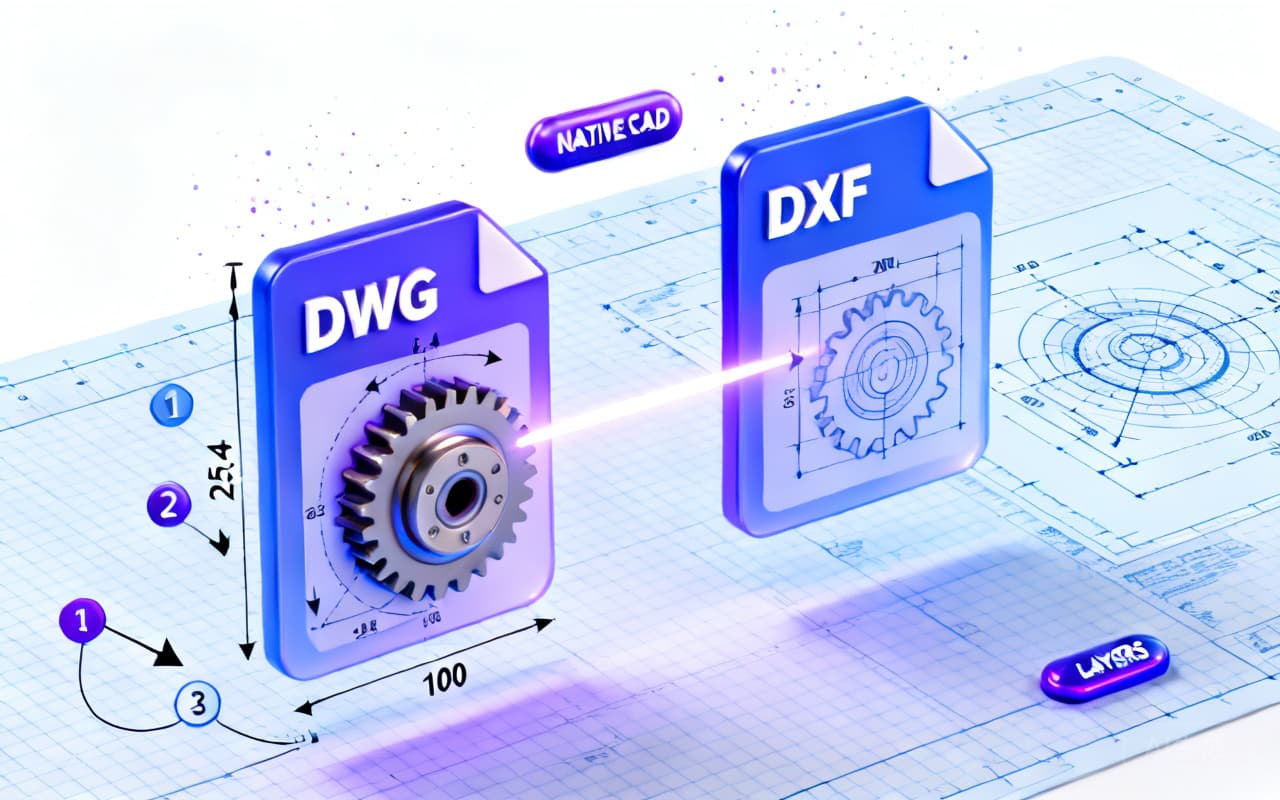
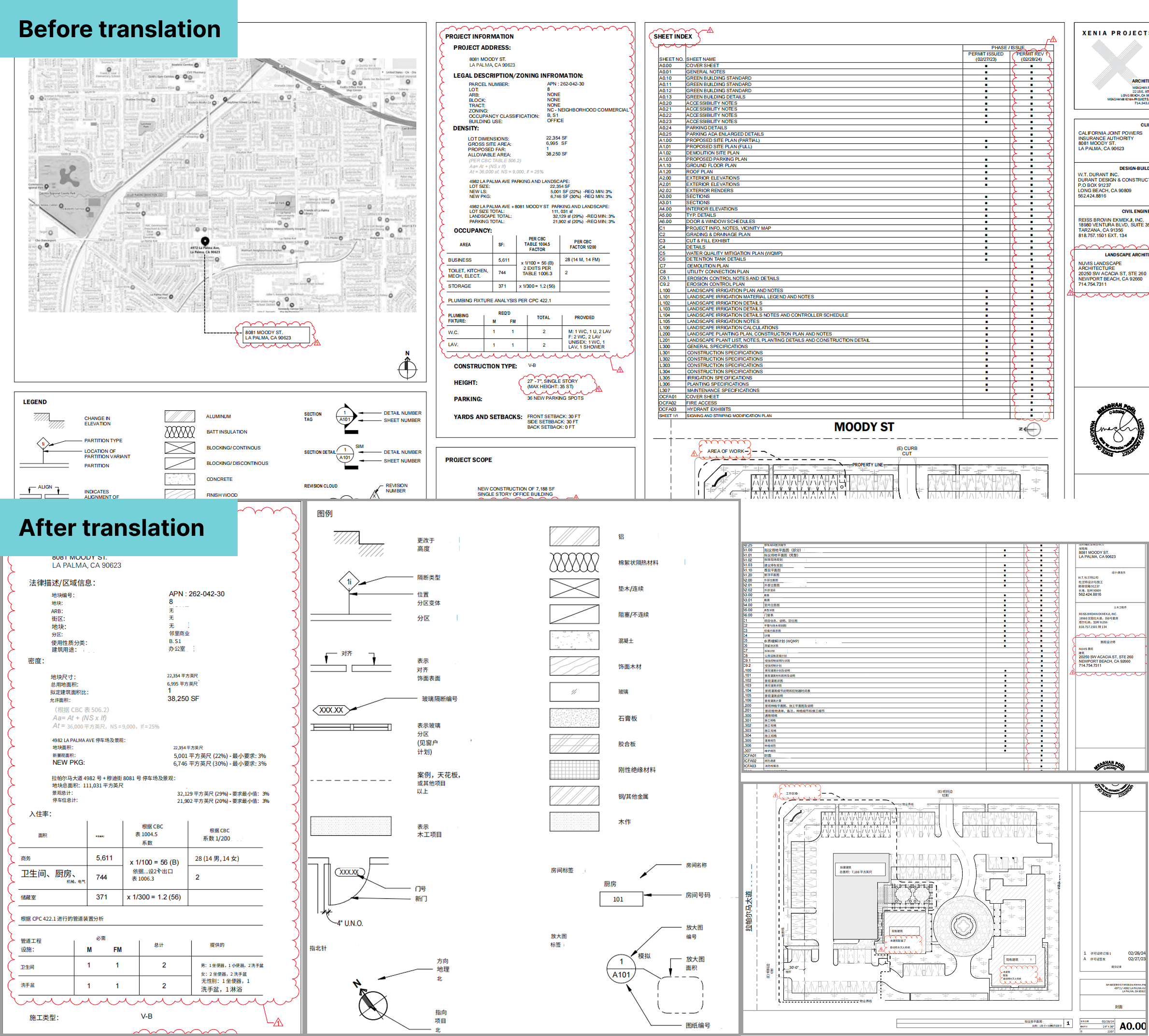
To translate an engineering drawing while keeping the layout 100% intact, export CAD (DWG/DXF) to PDF, upload it to an AI document translator like BelinDoc that writes text back in place, and it re‑inserts translated text into the original title block, dimensions, and legends — no manual reformatting.
Fastest reliable workflow:
- Export to PDF from your CAD software (DWG/DXF → PDF); scanned drawings work too, since OCR reads them.
- Upload the PDF to BelinDoc — the source language is auto‑detected.
- Pick a technical model for accurate terminology (e.g. tolerance fit, reinforced concrete).
- Download the result — dimension annotations, legends, and notes stay in their exact original positions.
- Spot‑check critical numbers (especially decimals) and any rare abbreviations like DIA or TYP.
Best base image for scans: at least 300 DPI, so OCR and text re‑insertion stay accurate.
Why is engineering drawing translation so hard?
Unlike plain text, engineering drawings present three major challenges:
- Complex text‑graphics layout: Lines, symbols, and scattered text boxes. Copy‑and‑paste translation instantly breaks the layout.
- Highly specialized terminology: From “reinforced concrete” to “tolerance fit,” a single mistake can cause construction or manufacturing issues.
- Non‑text formats: Many drawings are distributed as scanned PDFs or images. Text isn’t directly selectable; high‑quality OCR is required.
Common solutions compared
Before choosing a tool, here are the three mainstream approaches:
| Solution | Pros | Cons | Best use cases |
|---|---|---|---|
| Human translation agencies | Precise terminology, manual proofreading | Very expensive, long turnaround | Final deliverables, legally binding docs |
| Traditional translation software | Free/low cost | Often breaks formatting, weak on scanned PDFs | Simple plain‑text manuals |
| AI document translation (BelinDoc) | Preserves original layout, fast (seconds), supports scans, low cost | Very rare abbreviations may need tweaks | Daily drawing review, bid documents, quick communication |
How to use BelinDoc to preserve the original layout
BelinDoc is built for complex documents, ideal for drawings with charts, annotations, and strict layout constraints. Steps:
Step 1: Upload your drawing
BelinDoc supports multiple formats. For engineering, PDF is most common. If your drawing comes from CAD (DWG/DXF) exported to PDF, or even paper scans, you can upload them directly.
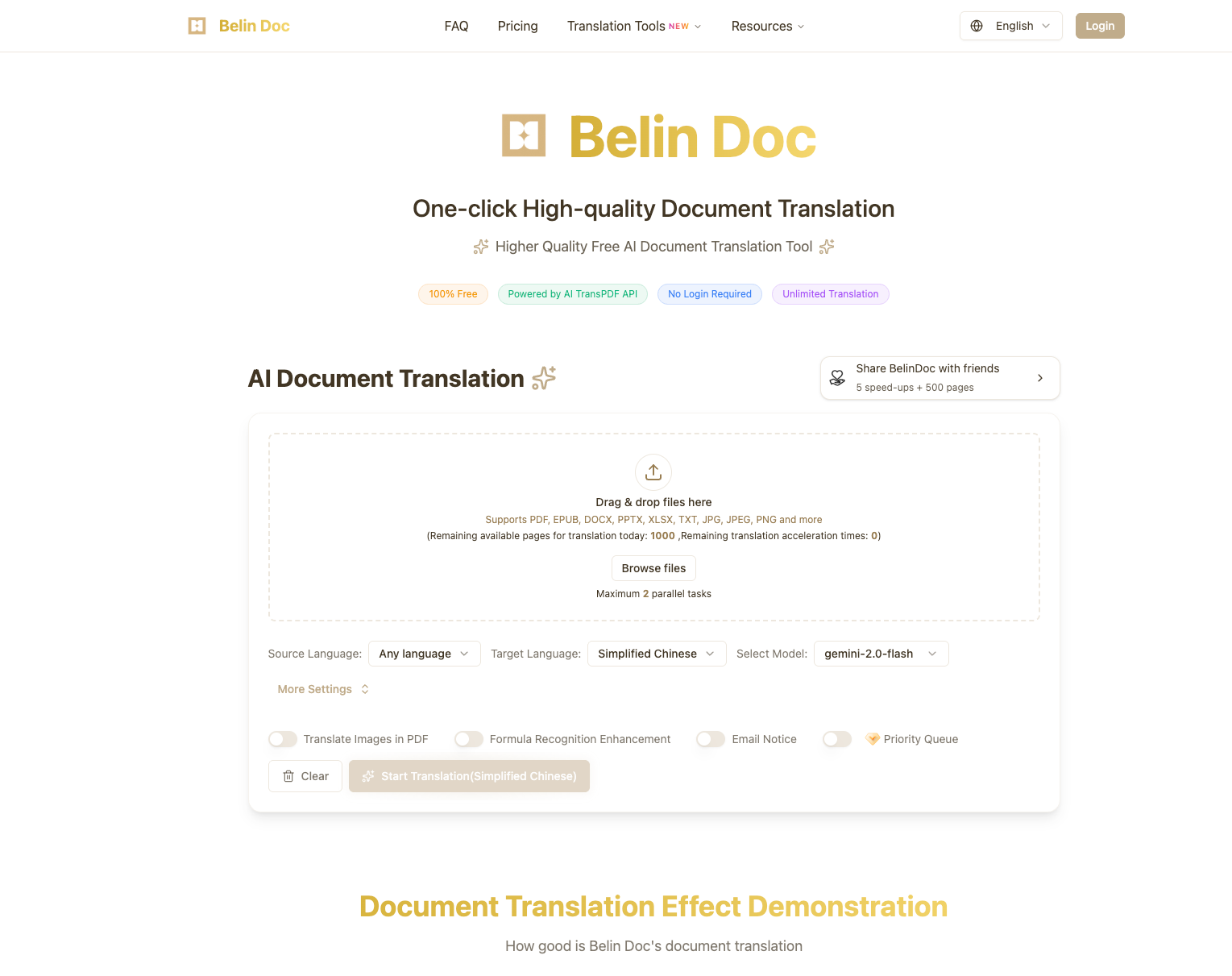
Step 2: Choose the best technical translation model
The system auto‑detects the source language. For engineering drawings, BelinDoc integrates multiple top AI models. Different models vary in terminology handling.
If you’re unsure which engine to pick, read our benchmark: AI Translation Model Benchmark: GPT‑4o, GPT‑4‑Turbo, and Gemini Pro — it helps you choose the best model for technical documents.
Step 3: Download and compare
After translation, download the result. You’ll see that all dimension annotations, legends, and technical notes remain in their original positions. You can share the translated PDF directly with your construction team or client.
3 tips to improve engineering drawing translation quality
Even with powerful AI tools, these practices will save time:
- Handle abbreviations: Drawings are full of abbreviations (e.g., “DIA” for Diameter, “TYP” for Typical). If a term is misread, adjust the context or clarity and re‑translate.
- Prioritize clarity: For scans, use at least 300 DPI. The clearer the base image, the more accurate OCR and text re‑insertion.
- Manually verify key numbers: AI is accurate on text, but for critical dimensions (especially decimals), do a quick human check.
Summary & pricing
In fast‑moving engineering projects, waiting for human translation is often impractical. Using BelinDoc for engineering drawing/blueprint translation can save ~90% time and cost, while keeping the layout intact.
Whether for internal technical discussions or bid documents, BelinDoc is a reliable assistant for engineers and project managers. Flexible pricing fits teams of all sizes.
👉 See BelinDoc pricing and choose your plan: View Pricing
FAQ
Can BelinDoc translate AutoCAD (.dwg/.dxf) files directly?
A: We’re optimized for PDF, Word, and Excel. For CAD drawings, export to PDF in your CAD software first, then upload to BelinDoc. This yields the best preserve‑layout results and avoids missing fonts.
Are translated drawings editable?
A: Yes. BelinDoc outputs are usually editable Word files or PDFs with a text layer. If any terminology needs tweaking, you can edit the output directly.
My drawing is a scanned image PDF — can it be translated?
A: Yes. BelinDoc includes strong OCR that recognizes text in scans/images and writes it back to the original position with background masking, producing a seamless visual result.
How is engineering drawing translation priced?
A: We use flexible per‑page or credit‑based billing, much lower than traditional human agencies. See details on our Pricing page.